 FrameCast
AI tools & voice-over
Turn a video into a brief for ChatGPT, Claude or another AI
Make a timestamped JSON of what was said and shown in a video, plus an optional ZIP with images and a storyboard, to give to an LLM. Runs on your Mac.
Where to find it
Menu bar → AI Video Brief from File…
How to do it
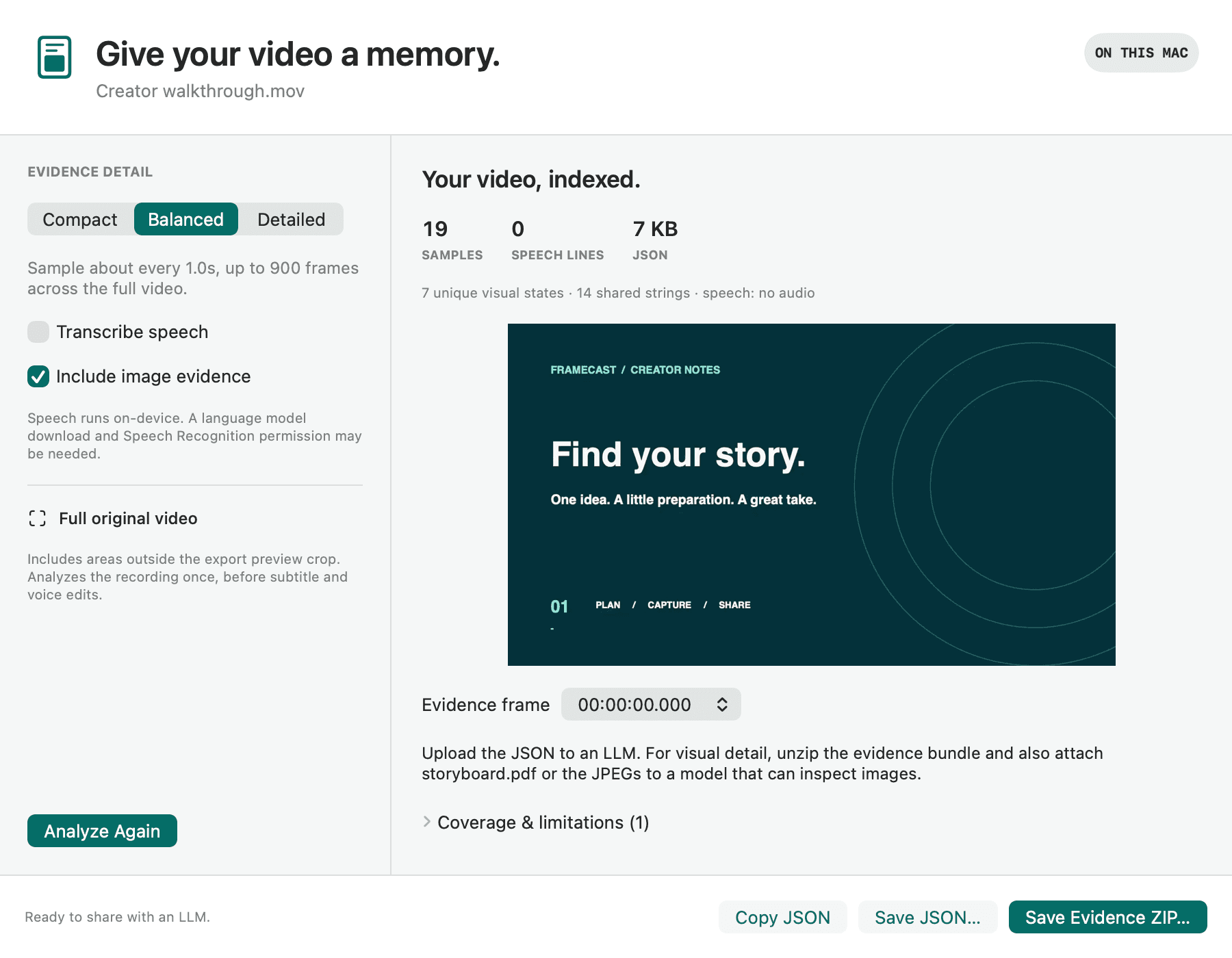
Choose AI Video Brief from File… in the menu bar, or Choose a video… under Video briefs in the Studio. From the editor, use Create AI Video Brief… in the Export tab.
Pick Compact, Balanced, or Detailed for how often frames are sampled.
Turn Transcribe speech and Include image evidence on or off.
Press Analyze Video.
Press Copy JSON, Save JSON…, or Save Evidence ZIP… for the JSON plus selected images and a storyboard PDF.
Good to know
- Everything runs on your Mac and nothing is uploaded. Speech may need Speech Recognition permission and a language download.
- It samples the full original video, including areas outside your crop, so review it before you share. Small details and quick actions can be missed.
- If your AI tool won’t take a ZIP, unzip it and attach the JSON with storyboard.pdf or the JPEGs.
- Who can use it
- Free
- Where it works
- Mac
This guide answers
- How do I give a video to ChatGPT or Claude?
- Can I turn a screen recording into text for an AI?
- What is an AI Video Brief?
- How do I get a transcript and screenshots from a video for an LLM?
- Is my video uploaded when I make a brief?