
Skip to content
FrameCast

Home / Free

Free to use

A lot of FrameCast is free. The rest is a link worth paying for.

Record, caption, clean up, reframe, and export without an account. Local videos have no time cap and no watermark. You pay when you want unlimited share links, viewer insights, or a generated voice-over.

macOS 14 or later. Also on the Mac App Store. The iPhone app uses the same editor for captions, GIF, MP4, HEVC, and ProRes.

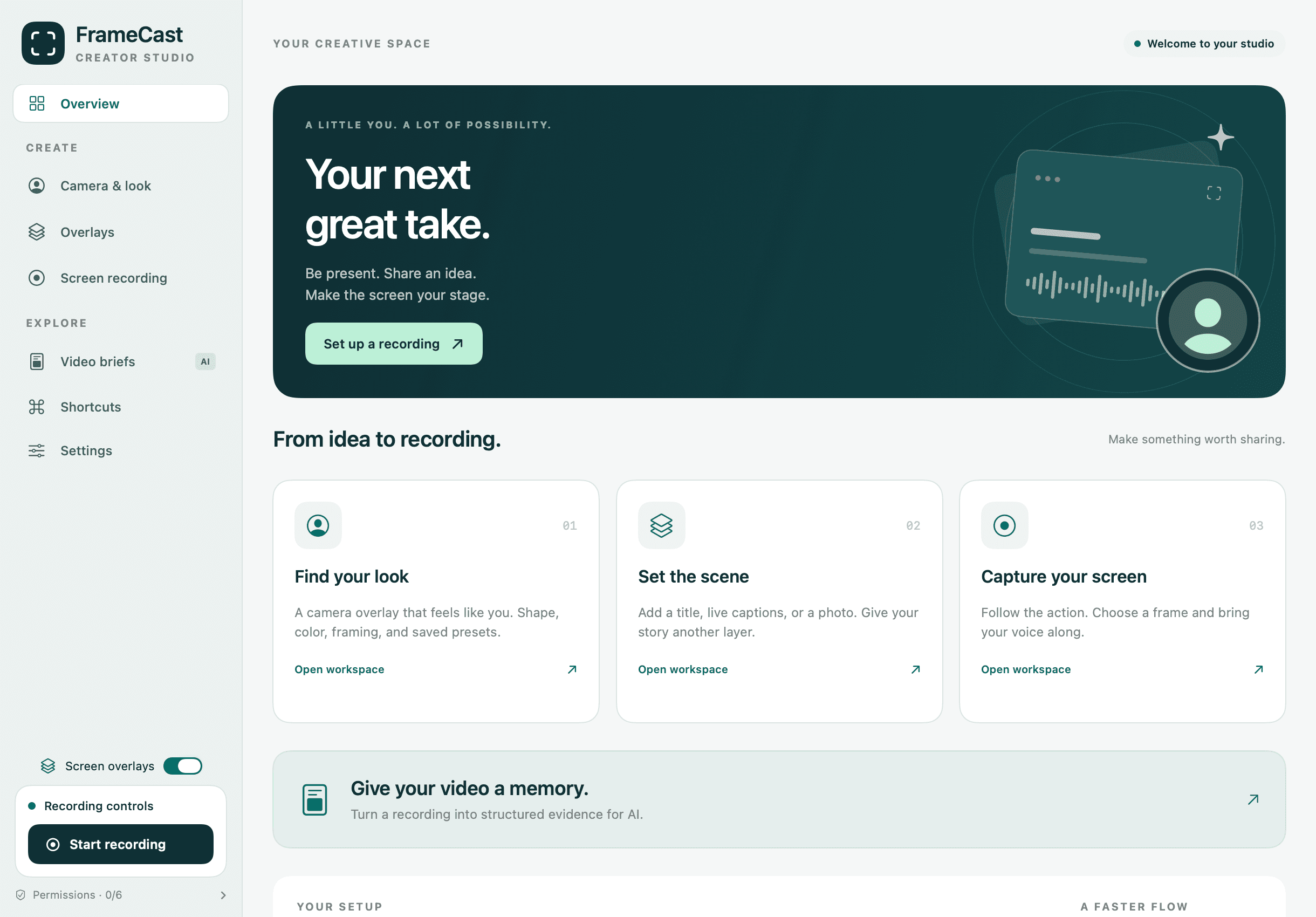
The FrameCast studio overview, with camera and look, overlays, screen recording, and video briefs in the sidebar.

Record and edit without a meter

The Mac app has no trial and no cap on how long you record. Projects stay on your Mac unless you choose to upload.

Captions for the whole video

Live captions, transcripts, and Apple Intelligence script tools need macOS 26 or later. The web editor transcribes on device and does not need macOS 26.

GIF and the other export formats

Mac and iPhone export H.264, HEVC, ProRes, and GIF. The web editor exports MP4.

Browser tools, still free

Use these when you are not at the Mac. The browser recorder publishes a share link, so the free link limits apply.

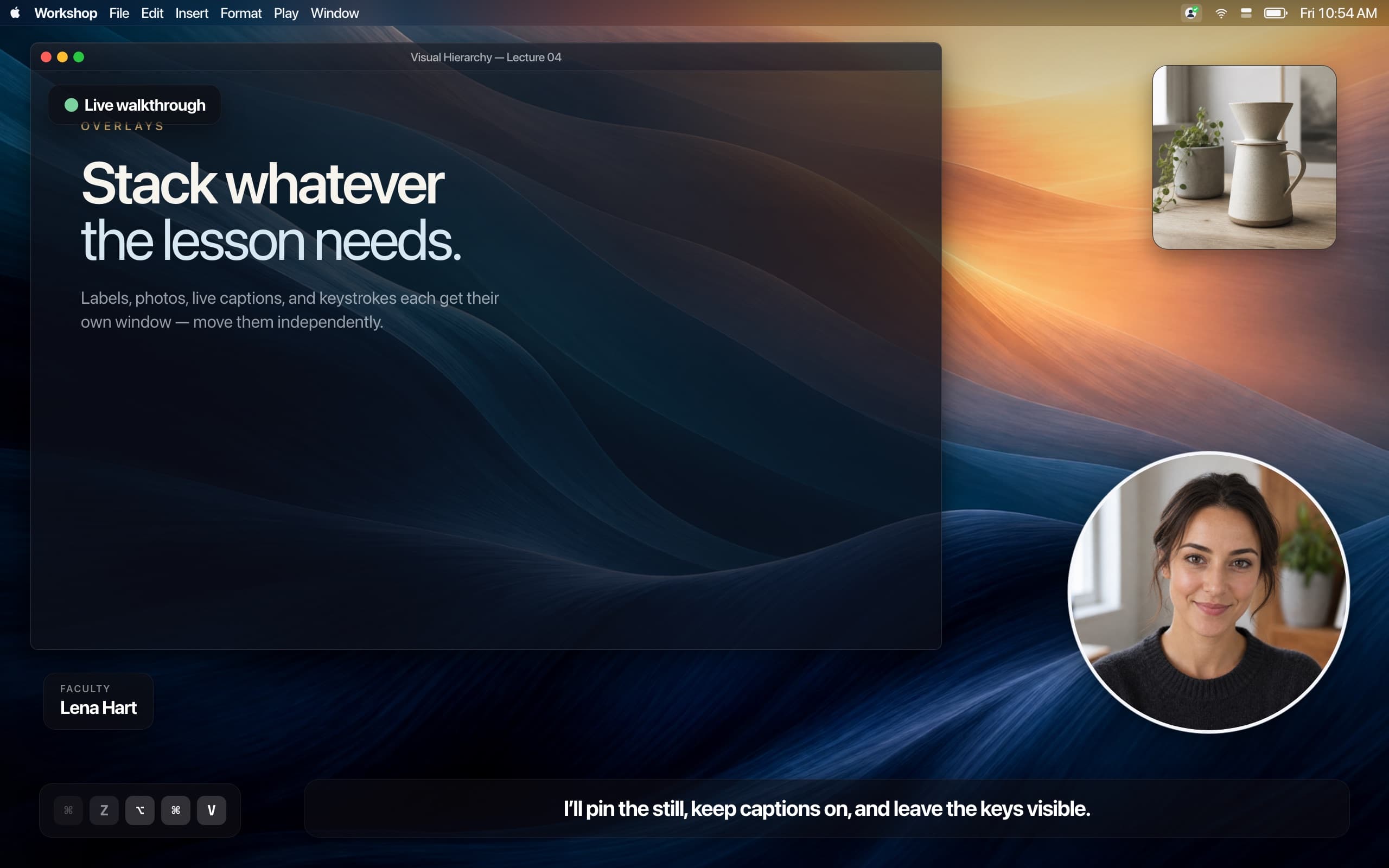
A lesson on screen with a circular camera overlay, a photo, a name label, pressed keys, and a live caption.
Live captions, a shaped camera, and a key overlay during a recording. Captions are free for the whole video.
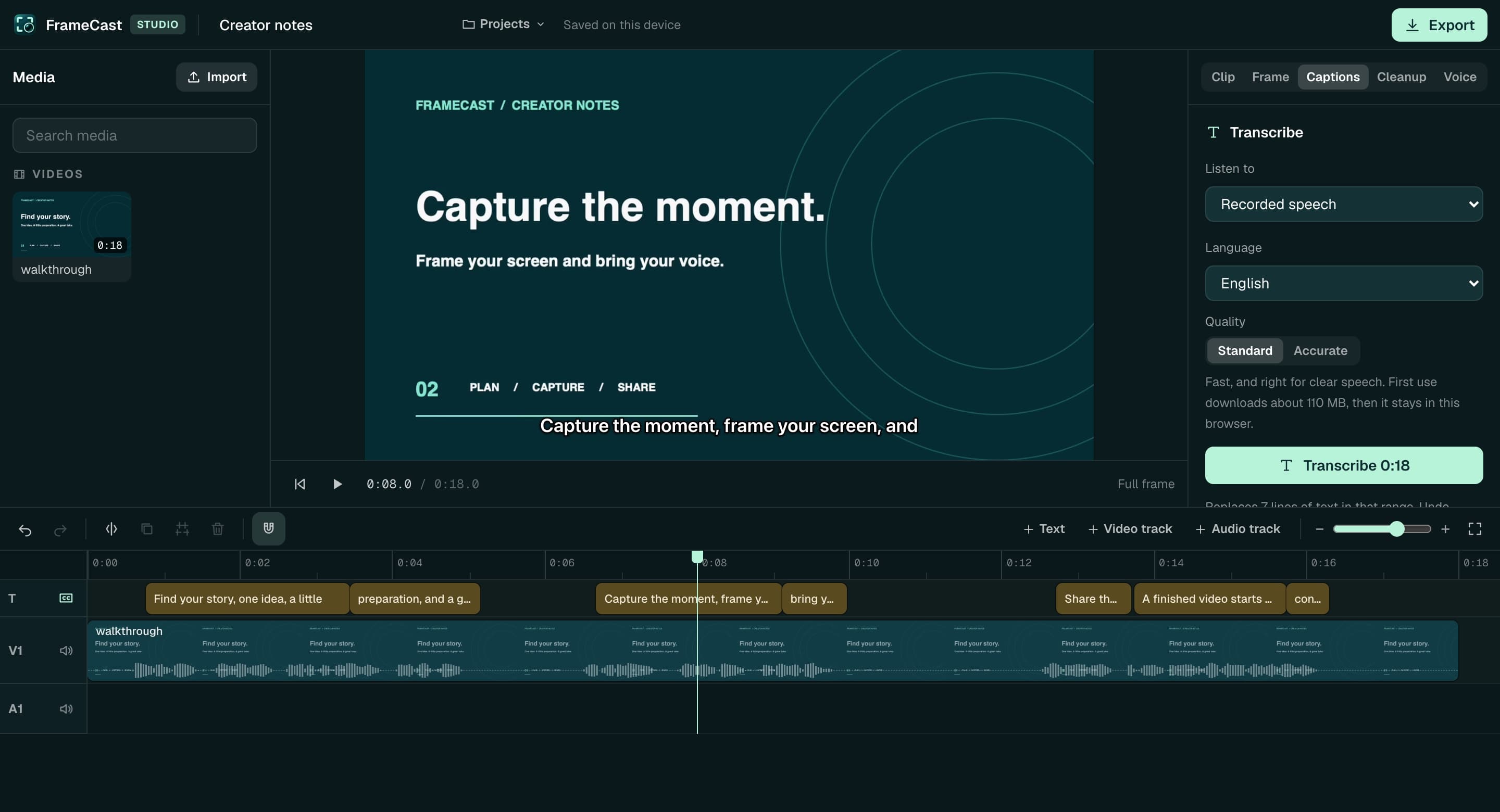
The FrameCast web editor: a clip on the timeline with a caption track from its transcript, a caption on the preview, and transcription settings in the inspector.
The web editor captions and exports MP4 on your device. GIF export is in the Mac and iPhone apps.
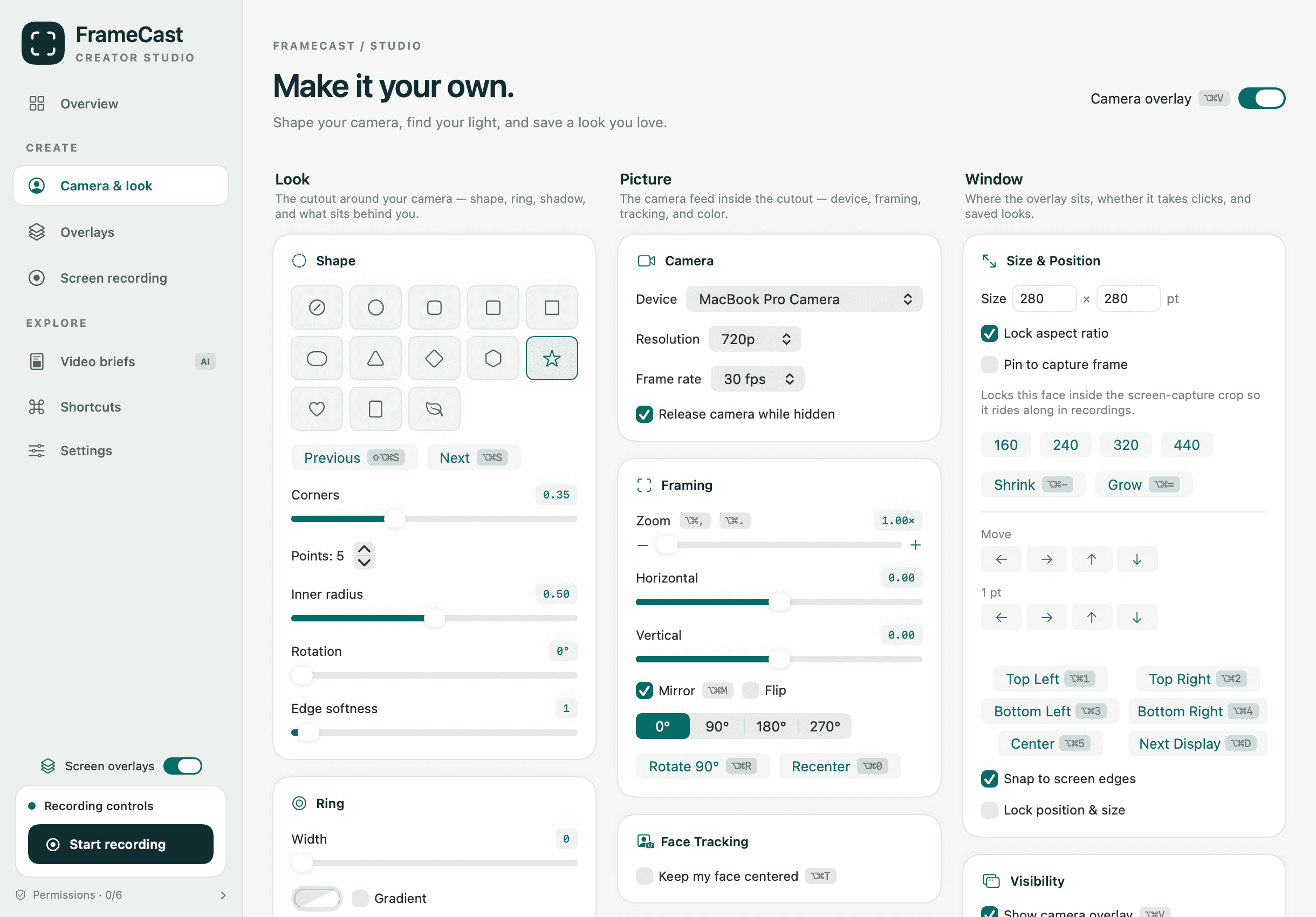
Camera and look settings: shape presets including a star, ring, camera device and resolution, framing, face tracking, and window position.
Camera shape, framing, and face tracking are included. No look pack to buy.
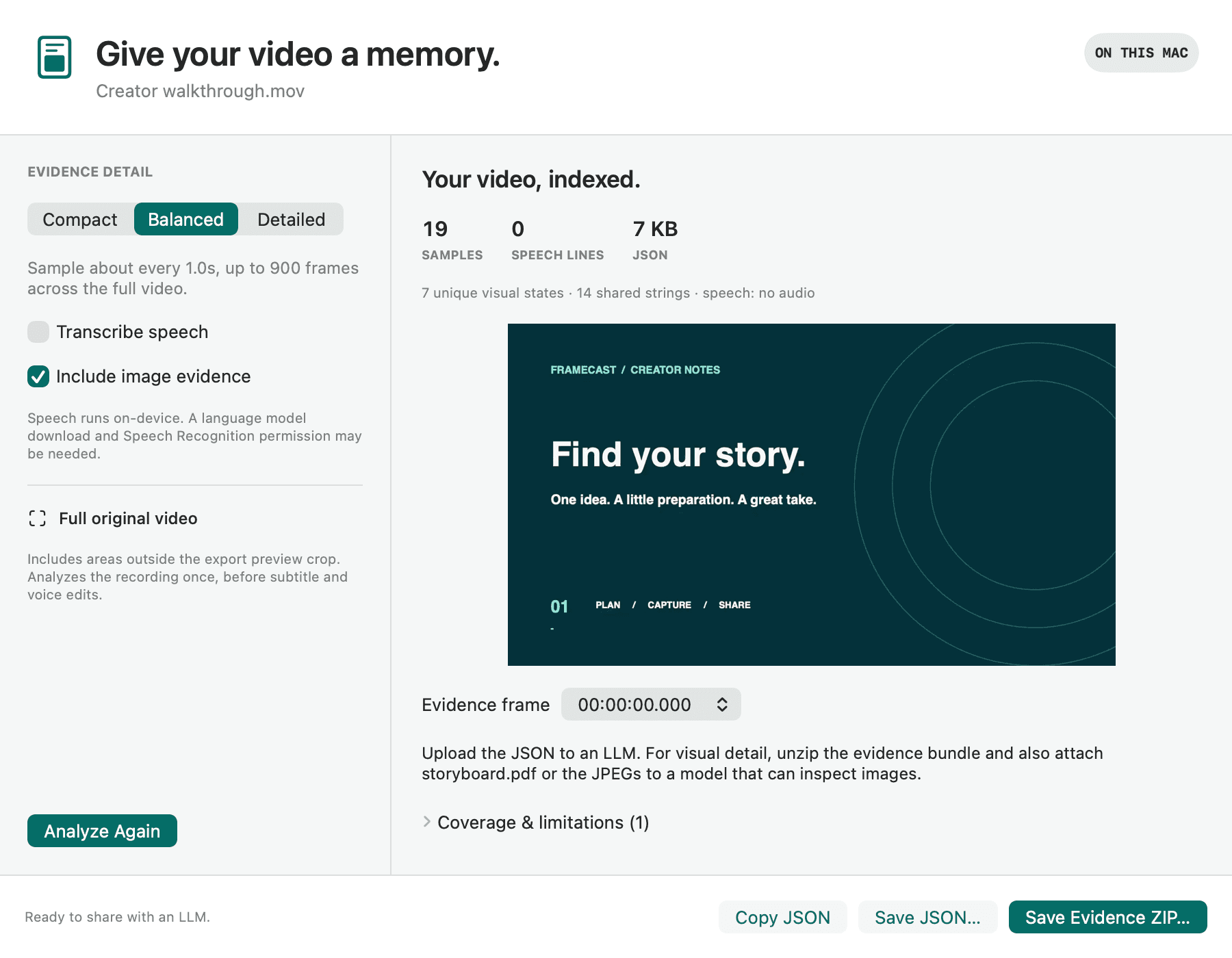
A finished video brief: samples indexed, an evidence frame preview, and buttons to copy the JSON or save an evidence ZIP.
A video brief stays on your Mac until you export it. How briefs work.

What is not free

Share links past the free allowance

Free keeps 25 live links, 30 minutes each, at 1080p, with view counts, comments, and reactions. The watch page can show a Made with FrameCast badge. Pro removes the badge and adds unlimited links, 4-hour shares, 4K, insights, passwords, expiry, and branding.

AI voice-over

Hearing a catalogue voice is free. Generate spends credits: Starter $12.00/month, Creator $29.00/month, Studio $79.00/month, or top-ups of $10.00, $25.00, $50.00. Captions do not use those credits.

Extra cloud storage

Free includes 15 GB. Pro includes 100 GB and Team 150 GB per seat. Storage is $20.00/month and raises a paid plan to 1 TB. Files behind a live link are not rotated out.

Free accounts get 5 server AI runs a month for summaries, documents, and translated captions on a share. Pro includes 50 a month. Runs past the allowance spend voice credits. There is no batch export of many different videos, and the web editor does not write GIF or ProRes.

Start free. Upgrade when the link is the product.

Download and ship a video today. The first limit a heavy user hits is the share link: 25 live, 30 minutes, 1080p. That page is the free-to-Pro path. Pro adds unlimited links, 4-hour shares, 4K, and viewer insights. Team is $7.00 a seat on yearly billing when more than one person records.

  • Free

    $0

    Forever, for everyone.

    • Unlimited local recording and editing
    • 25 live share links, up to 30 minutes each
    • 1080p watch pages with transcript and chapters
    • View counts, comments, and emoji reactions
    • Smart cleanup, captions, and chapters on your Mac
    Download for Mac
  • Pro

    $5.00/month

    $60.00 billed yearly.

    • Unlimited share links, up to 4 hours each, in 4K
    • Who watched, how far, and where viewers drop off
    • Password, expiry, download, and domain-only links
    • Calls to action, custom thumbnails, and your branding
    • No FrameCast badge, and 100 GB cloud library
    • AI summaries, docs, and caption translation
    Choose Pro
  • Team

    $7.00/seat/month

    $84.00 per seat, billed yearly.

    • Everything in Pro, for every creator seat
    • A shared workspace with folders and search
    • Workspace-only links and auto-join by email domain
    • Owner, admin, and member roles
    • 150 GB per seat, pooled across the team
    • Viewers and commenters never need a seat
    Start a team

Questions

What does FrameCast include for free?
Local screen and camera recording, the floating camera, overlays, live captions, the timeline editor, smart cleanup, chapters, video briefs, and export to MP4, HEVC, ProRes, or GIF. The web editor and browser recorder are free too. There is no watermark on a local export and no time cap on local recording or captions.
Is there a limit on video length?
Not for a file you keep on your Mac or iPhone. A free share link can be up to 30 minutes at 1080p, and you can keep 25 live at once. Pro shares up to 4 hours in 4K.
What do I pay for?
Pro ($5.00/month, $60.00 billed yearly) is unlimited share links, viewer insights, link controls, and branding. Team is $7.00 a seat on yearly billing. Voice-over credits are optional and separate. Storage is $20.00/month to raise a paid plan to 1 TB.
Do I need an account to record?
No. Download the Mac app and record. Sign in when you want a share link tied to you, voice credits, or the cloud library.

Feature pages

Comparisons · Guides · Pricing · FrameCast home

Help us measure our ads?

With your permission, Meta and Trybe receive visits to our marketing pages and browser identifiers. Meta receives confirmed Pro or Team purchase amounts; Trybe receives paid checkout amounts to credit creators for sales. Recording and editing work either way. You can change your choice anytime. Privacy details

Global Privacy Control is honored automatically.