 FrameCast
Meetings
Start a video meeting
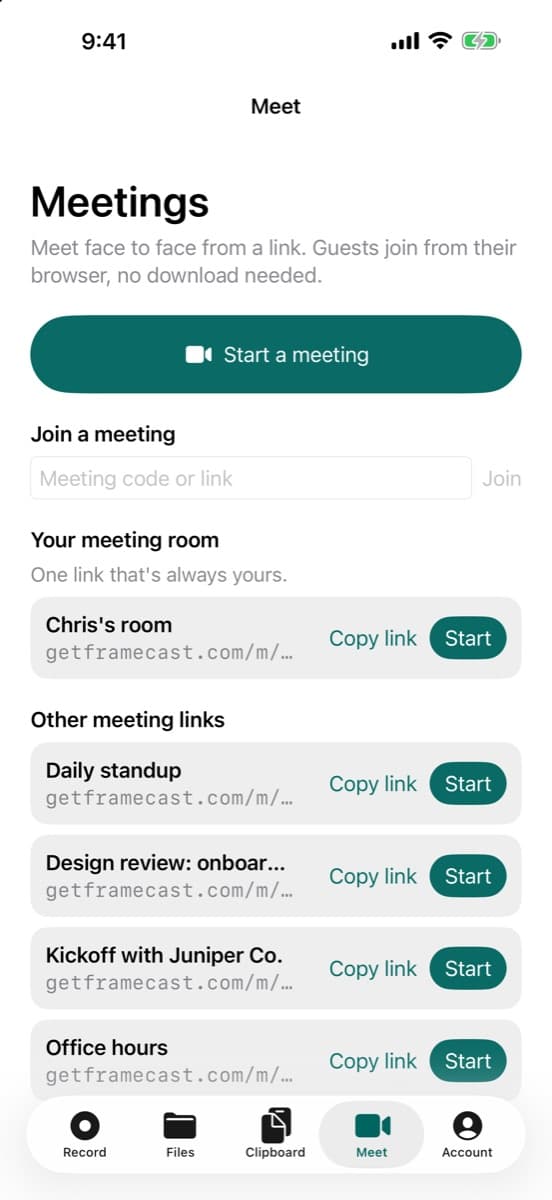
Start a meeting from the web, your Mac, or your iPhone and send the link. Guests join from their browser without an account or a download.
Where to find it
getframecast.com/meet → Start now, or Studio → Meetings → Start now, or iPhone → Meet tab → Start a meeting
How to do it
On the web, open Meetings at getframecast.com/meet and sign in.
Type a name in Name it (optional) if you want one, then press Start now.
Check your camera and microphone, then press Join meeting.
Press Copy invite link in the call and send it to the people you want.
On the Mac, choose Meetings → Start a Meeting in the menu bar menu, or Start now on the studio's Meetings page. The call opens in its own window.
Good to know
- If you're in a team, the menu beside Schedule picks whose meeting it is: Personal or a team. A team meeting uses the team's plan.
- On the Mac, Return to meeting on the Meetings page brings the call window back if it's hidden.
- Who can use it
- Free; starting a meeting needs sign-in, joining doesn't
- Where it works
- Web · Mac · iPhone
This guide answers
- How do I start a video call?
- How do I start a meeting right now?
- Can I use FrameCast instead of Zoom or Google Meet?
- Do the people I invite need FrameCast?
- How do I start a meeting from my iPhone?
- Can I name a meeting?