Home / Help / Camera & overlays Camera & overlays
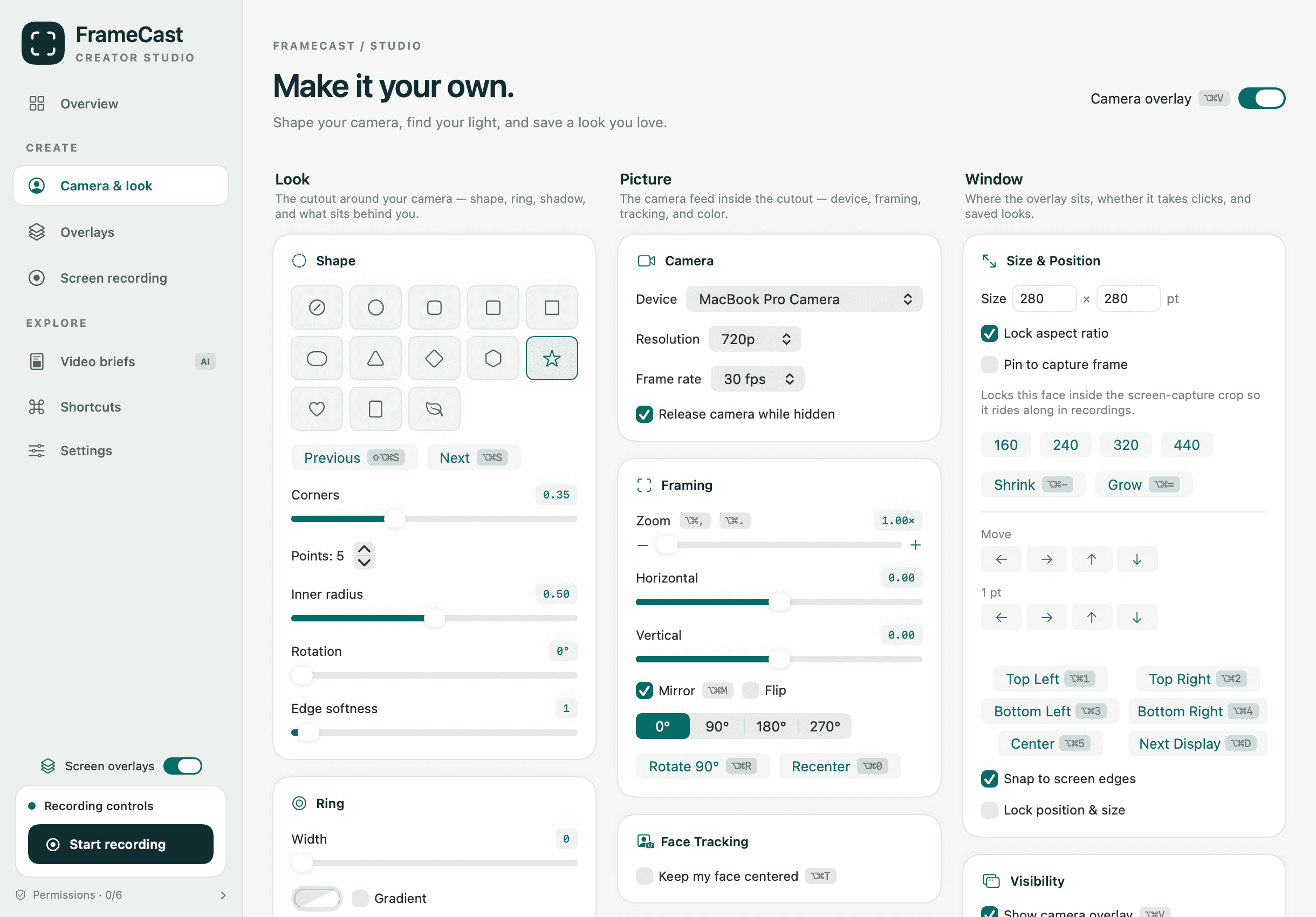
Change the camera shape, ring, and shadow Make the camera a circle, rounded square, pill, star, heart, and more, then add a ring, a gradient, and a shadow.
Where to find it Studio → Camera & look → Look → Shape
How to do it 1 Open the studio and choose Camera & look .
2 Under Shape , click a shape. Use Previous and Next (⇧⌥⌘S and ⌥⌘S) to cycle.
3 Fine-tune with the sliders that appear, such as Corners , Rotation , or Edge softness .
4 Under Ring , set a Width and color. Turn on Gradient for two colors.
5 Under Shadow , set Radius and Strength .
Good to know You can also change shape from Shape in the menu bar, or by right-clicking the camera.
Who can use it Free
Where it works Mac This guide answers How do I make my webcam a circle? What shapes can the camera be? How do I add a border around my camera? How do I remove the shadow? How do I make the camera square? How do I cycle through shapes with a shortcut? Related guides Show your camera on screen
Turn on the floating camera, a webcam bubble that floats over every app and records with your screen. Pick which camera and its quality.
Save a camera look as a preset
Save the camera’s shape, background, framing, and color as a named look, and switch between looks with ⌥⌘P.
Change a video to vertical 9:16 for TikTok, Reels and Shorts
Set the canvas to Reel, Square, Portrait or another size. A screen recording is cropped to match and can follow your mouse.
Crop a video to vertical or square on iPhone
Change a recording's shape to Reel 9:16, Square 1:1, or Portrait 4:5 and choose which part shows, for Reels, TikTok, or Shorts.
Still stuck? Support covers install, permissions and how to send feedback from the app.
All help guides · More on camera & overlays · Workflow guides · FrameCast home
Help us measure our ads? With your permission, Meta and Trybe receive visits to our marketing pages and browser identifiers. Meta receives confirmed Pro or Team purchase amounts; Trybe receives paid checkout amounts to credit creators for sales. Recording and editing work either way. You can change your choice anytime. Privacy details
No thanks Allow ad measurement
Global Privacy Control is honored automatically.
 FrameCast