 FrameCast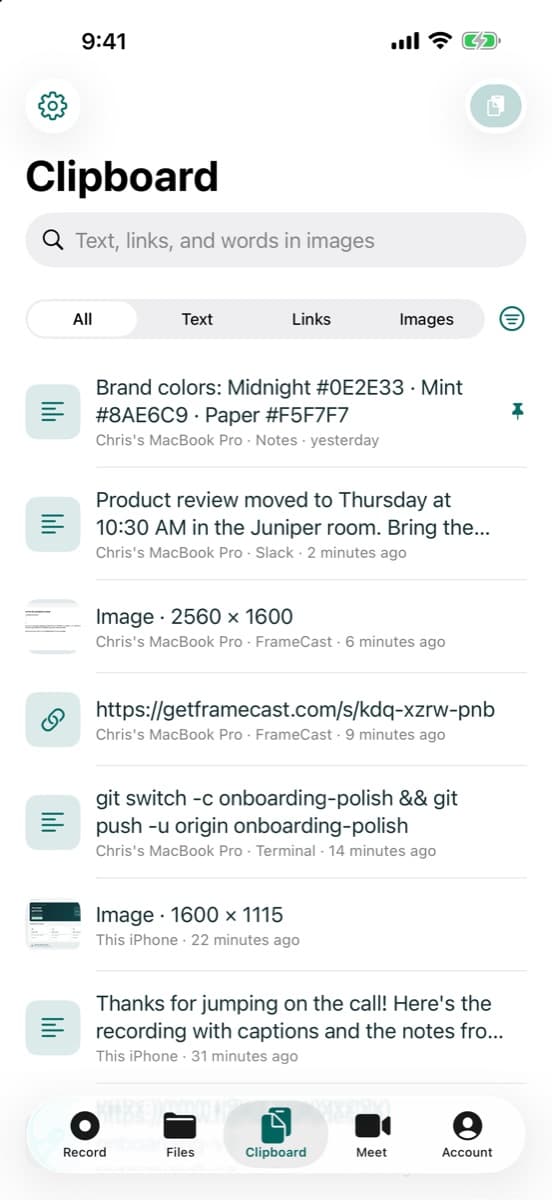
Shape
Circle, squircle, star, heart, and the rest. Add a ring, a shadow, and a look you can save.
MAC · IPHONE · WEB · FREE TO START
We named it FrameCast. It also got CleanShot’s eye for screenshots, Paste’s memory, and a voice made for radio.
Record your screen and send a link. Capture and mark up screenshots. Find anything you copied. Turn a script into a narrated video. Meet from a link. Keep every file in one place. One app, one account, free to start.
No account needed to record, edit, or capture. Signed and notarized by Apple. macOS 14 or later. Also on iPhone.
PLEASE WELCOME
It’s a FrameCast!
One menu-bar icon · healthy, free, and already recording
PROUD PARENTS
HAS ITS…
Stuff you never knew your Mac needed
macOS has the rough drafts: a screenshot thumbnail that slides away, text you can lift from some images, a clipboard history tucked inside Spotlight. FrameCast turns each one into the tool you reach for fifty times a day. Watch.
Never lose a screenshot again. macOS flashes a thumbnail, then drops the file on your desktop with all the others. FrameCast keeps every capture in a pile in the corner until you’re done with it. Copy them all at once and paste them anywhere.
Screenshots, markup, text capture, calendar events, and clipboard history are free, with no account. Clipboard sync to iPhone is part of Pro.
The family resemblance
Most of us pay for a recorder, a screenshot tool, a clipboard app, a voice service, a meeting app, and a drive, and then shuffle files between them. FrameCast does all eight jobs below, and they already know about each other: a screenshot can become a calendar invite with a call link, a meeting recording becomes a share link, and everything lands in the same Files.
Loom, Dropbox, Google Meet, Google Photos, CleanShot X, Paste, Descript, and mmhmm are trademarks of their owners. FrameCast isn’t affiliated with any of them. It just has their eyes.
All of it, working together
A screenshot books a meeting. The meeting writes its own to-do list. The to-do becomes a recording, the recording becomes a link, the link lands in a reply, and the same take becomes a promo. Every piece is already filed by lunch. No exports, no uploads, no switching apps.
A screenshot books the meeting. Jessica emails about a kickoff. One capture turns it into a calendar event with a FrameCast call link already in it.
Screenshots, calendar events, recording, cleanup, captions, and clipboard history are free. Meetings are free with time limits. AI notes need notes turned on in the meeting. Suggested visuals and music use credits. Seeing who watched a link is part of Pro.
Screenshots
Same keys you already press. Now every capture lands in a pile of cards in the corner, ready to copy, mark up, share as a link, or turn into text. Nothing to learn, and nothing to install twice.
Free. Capture, markup, and text recognition run on your Mac. Uploads use your FrameCast storage.
Clipboard
A clipboard with a memory. Copy all day, then press ⌃⌥⌘V, type a word, and paste the thing you need, in the app you were already in.
From rough take to finished video
Talk the way you talk. FrameCast snips the ums, captions every word, finds b-roll for what you said, scores it with music that ducks under your voice, and reframes it for every feed. No editor required, including you.
Hit record and talk. Record the screen with your camera in the corner. No script, no retakes. FrameCast notes when you click and type, so the edit can zoom in on the action later.
Recording, cleanup, captions, chapters, reframing, and 4K export are free. Cleanup and captions on Mac need macOS 26 or later. AI narration, voices, suggested visuals, and music use credits, and the price is shown before you start.
AI video and voice
No camera, no voice actor, no stock-footage tab. Write what you want to say, or hand FrameCast your product’s website and it writes the script from what the site actually says. Then a natural voice reads it, and every line gets a shot.
Generated stills and clips come from a shot list with a cast sheet, so the same person, product, or place looks the same in every shot. Prefer real footage? Use royalty-free stock instead.
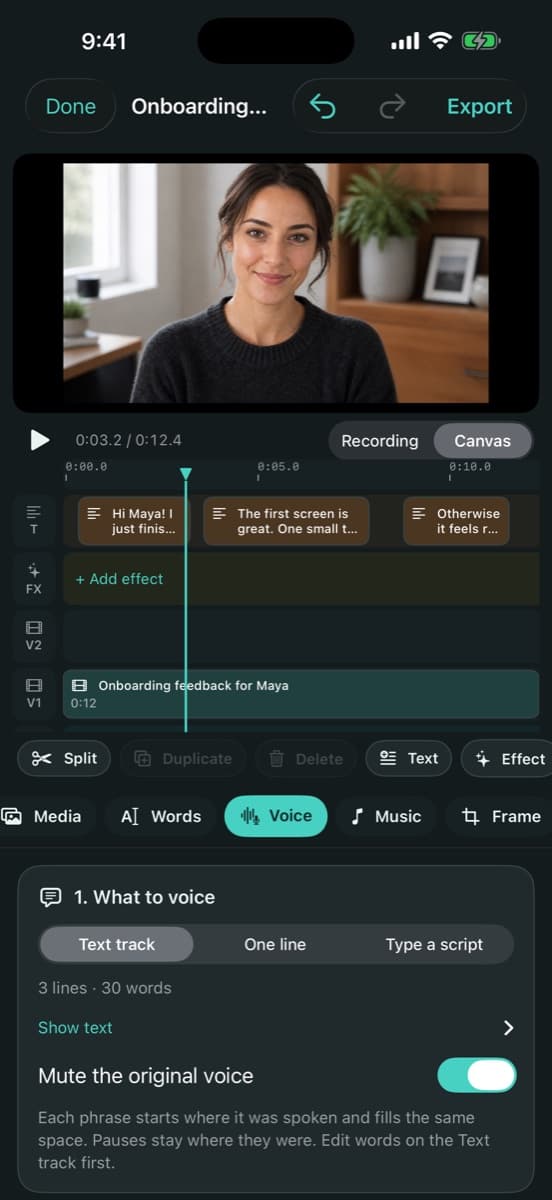
Paste your website. Give FrameCast your site’s address. It reads the page and a few of its links to learn what you actually do.
Voices and music are made with ElevenLabs. Generation is paid with credits that work on Mac, iPhone, and the web: the price is shown before you press Generate, and anything unused is refunded. Voice previews, voice suggestions, and stock searches are free. Website-to-script and generated visuals are in the Mac app and the web editor; voice-over is on iPhone too.
Meetings
Start a call from the Mac, the iPhone, or the web and send the link. Free one-to-one calls run up to 4 hours, and group calls up to 40 minutes. Pro lifts the group limit.
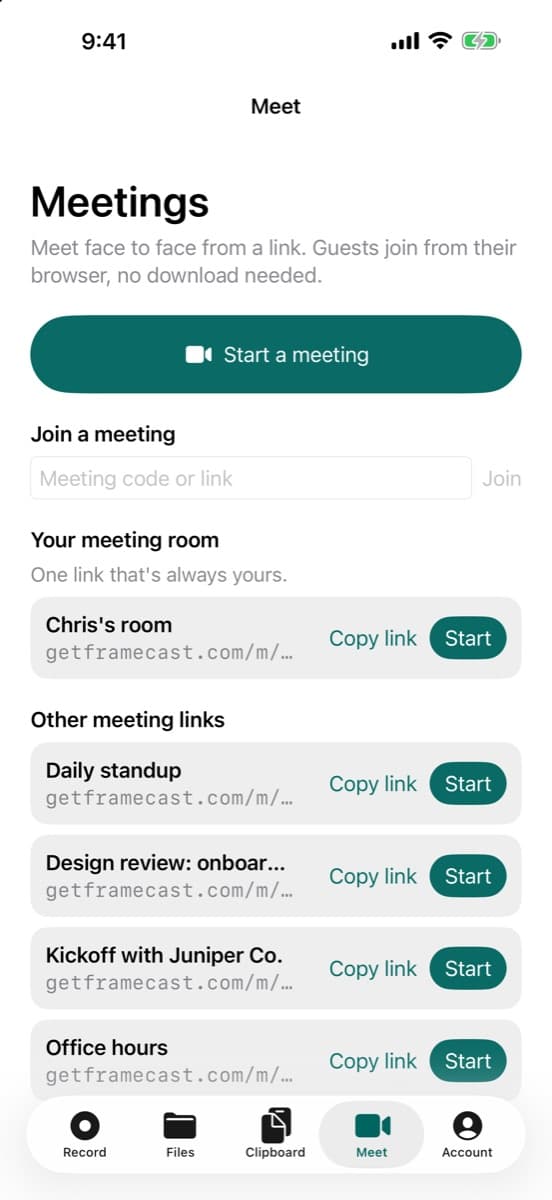
Send a link. They just click.. Start a meeting from the menu bar and the link is on your clipboard. Guests join from their browser, with no account and no download.
FrameCast Files
Recordings, screenshots, meeting recordings, and your phone’s photos all land in one place, without a second subscription. When you hit your limit, uploads pause. Nothing is ever deleted to make room.
Team storage is shared by the whole team, however many members it has.
Everything lands here on its own. Screenshots, recordings, meeting recordings, and your iPhone’s photos all file themselves into one drive. No dragging, no uploading, no second subscription.
FrameCast for iPhone
The iPhone app records the screen, shoots with the camera, and keeps your photos in FrameCast Files. The editor, the links, and the account are the same ones you use on Mac.
Free to record and edit. iOS 26.1 or later. iPhone only.
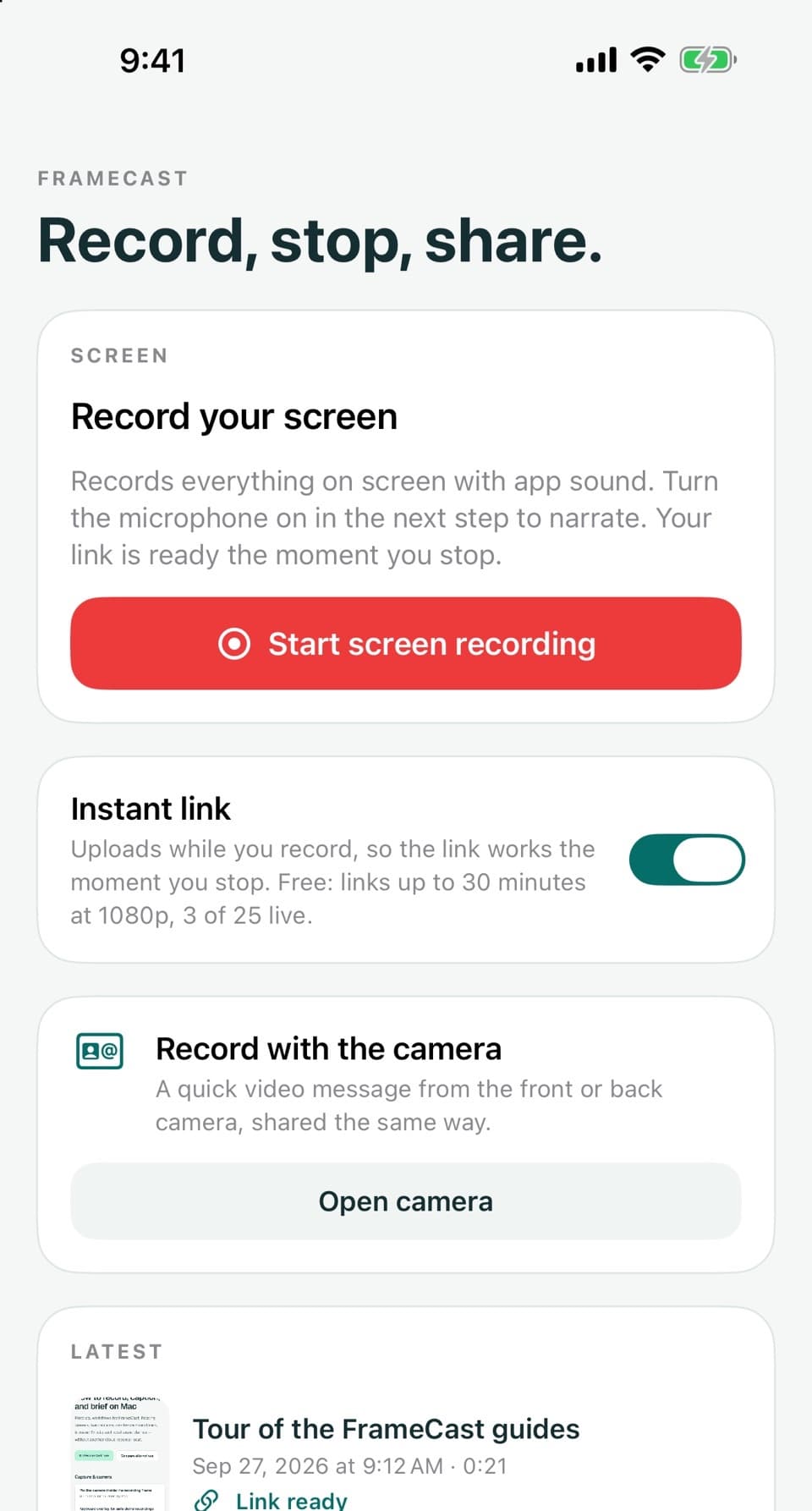
App sound, your voice, and a link when you stop.
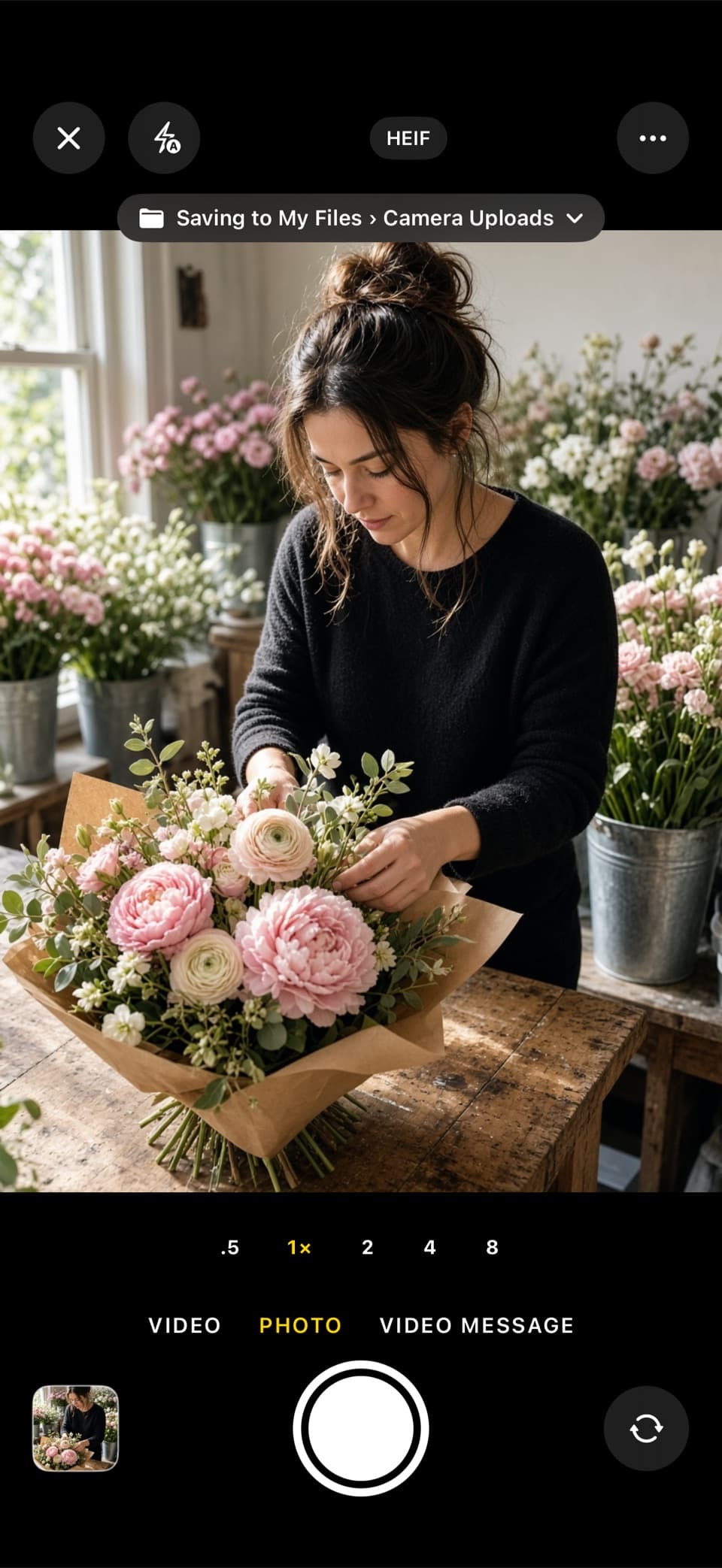
Photo, video, or a video message, into the folder you pick.
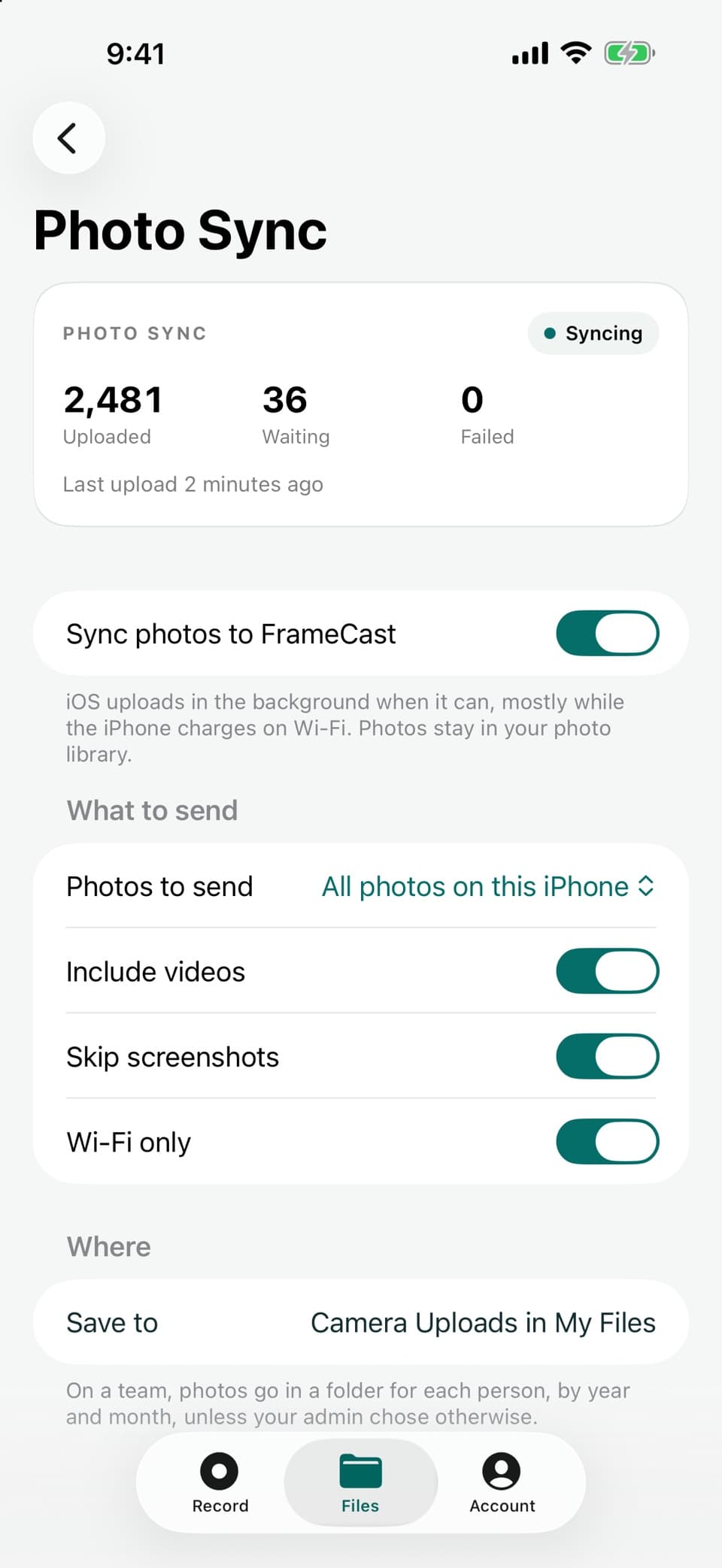
Uploads in the background, mostly on Wi-Fi while charging.
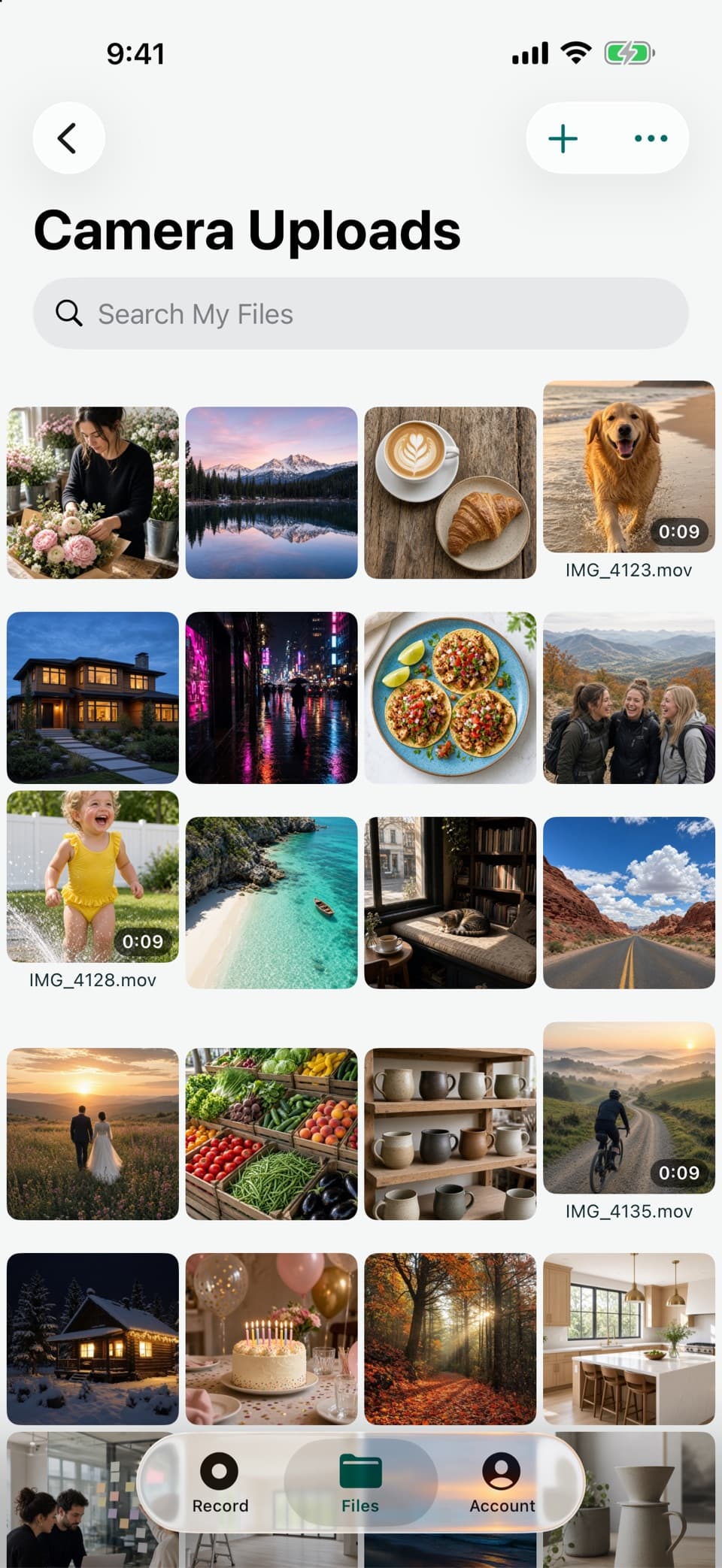
Photos and videos from the phone, on the web and the Mac too.
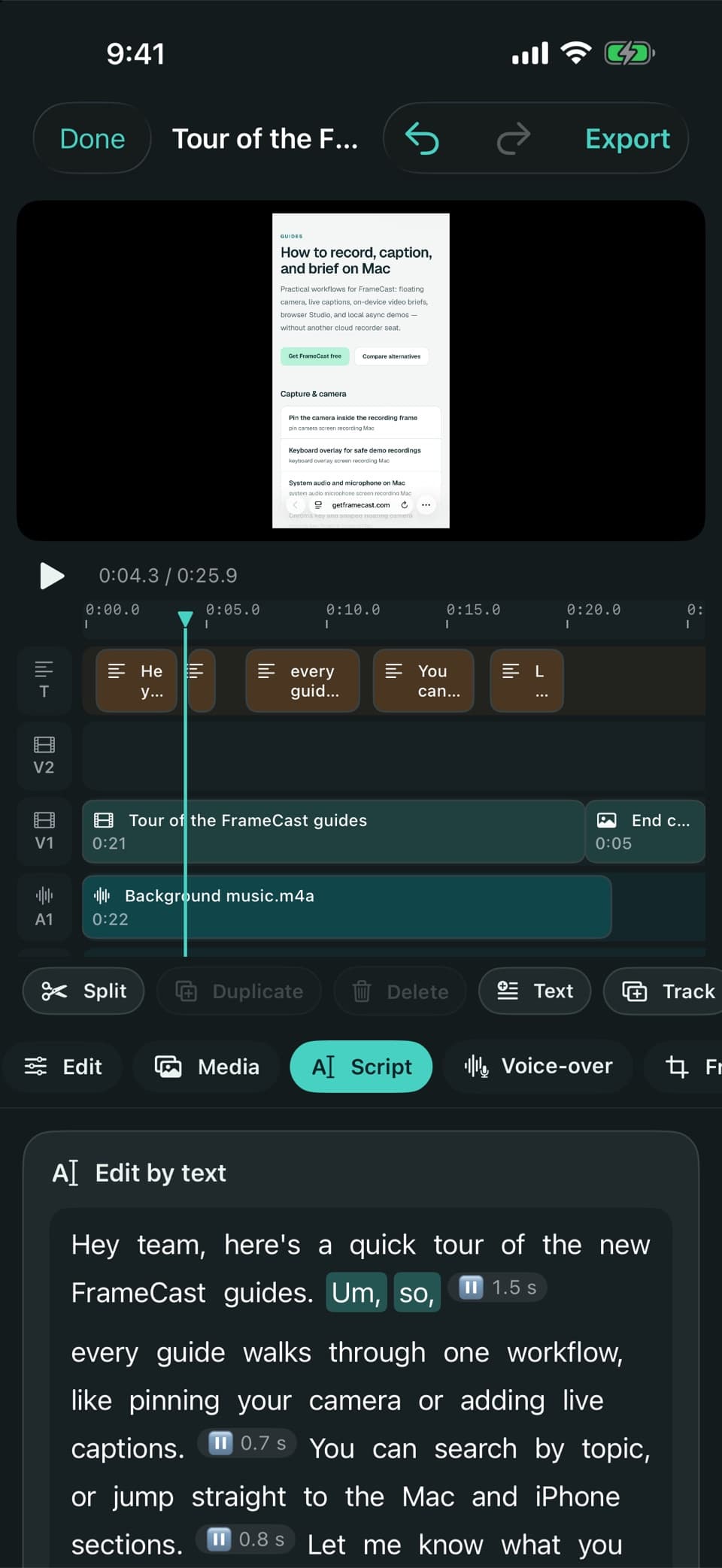
Cut by tapping words. Captions, voice-over, and export.
Where it all started
Make a walkthrough, send a video message, or polish a tutorial. Keep the recording on your Mac, or turn on sharing to upload as you record and paste a link the moment you stop. Local files have no recording time cap; free shared videos are up to 30 minutes at 1080p, with 25 live at once.
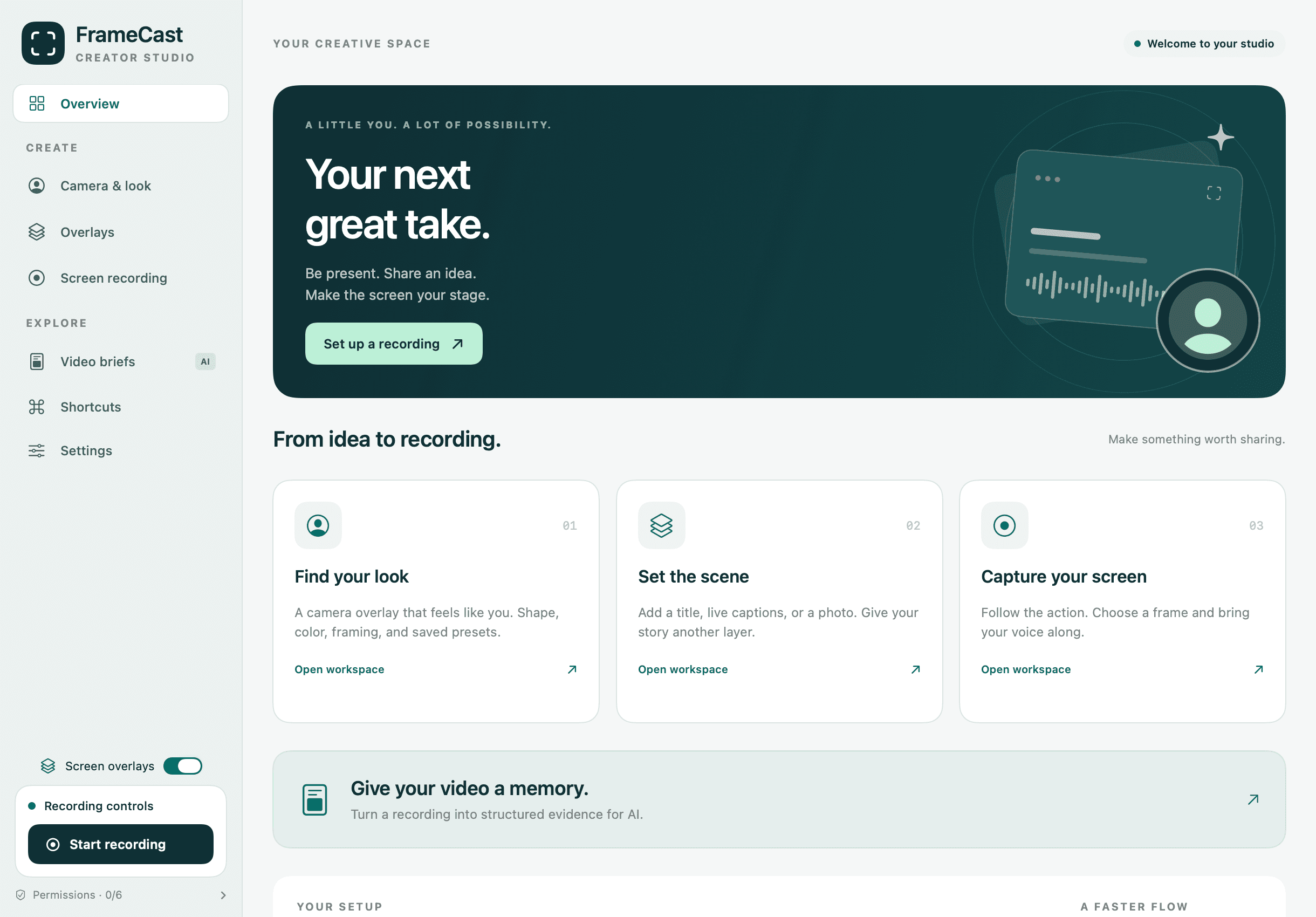
Free to use
There is no trial, no watermark, and no cap on how long you record. Recordings, projects, and transcripts are saved on your Mac, and nothing is uploaded unless you choose to put it in the cloud.
See everything that’s free · Unlimited captions · Video to GIF · Share link limits
One take, every format
FrameCast records the whole screen at full resolution, so you never choose a shape before you press record. When you stop, pick Reel, Portrait, Square, or widescreen, and the crop follows your mouse through the take.
Have a video already? Open it in the Mac app or the web editor and reframe it for any feed. The crop holds wherever you place it.
Web editor
Open the editor on any computer, drop in a video, and export an MP4. Editing happens on your device, so your footage is not uploaded unless you save it to the cloud. The editor is free. AI voice-over uses separate credits; paid plans add more sharing and cloud features.
Chrome, Edge, or Safari. No account needed.
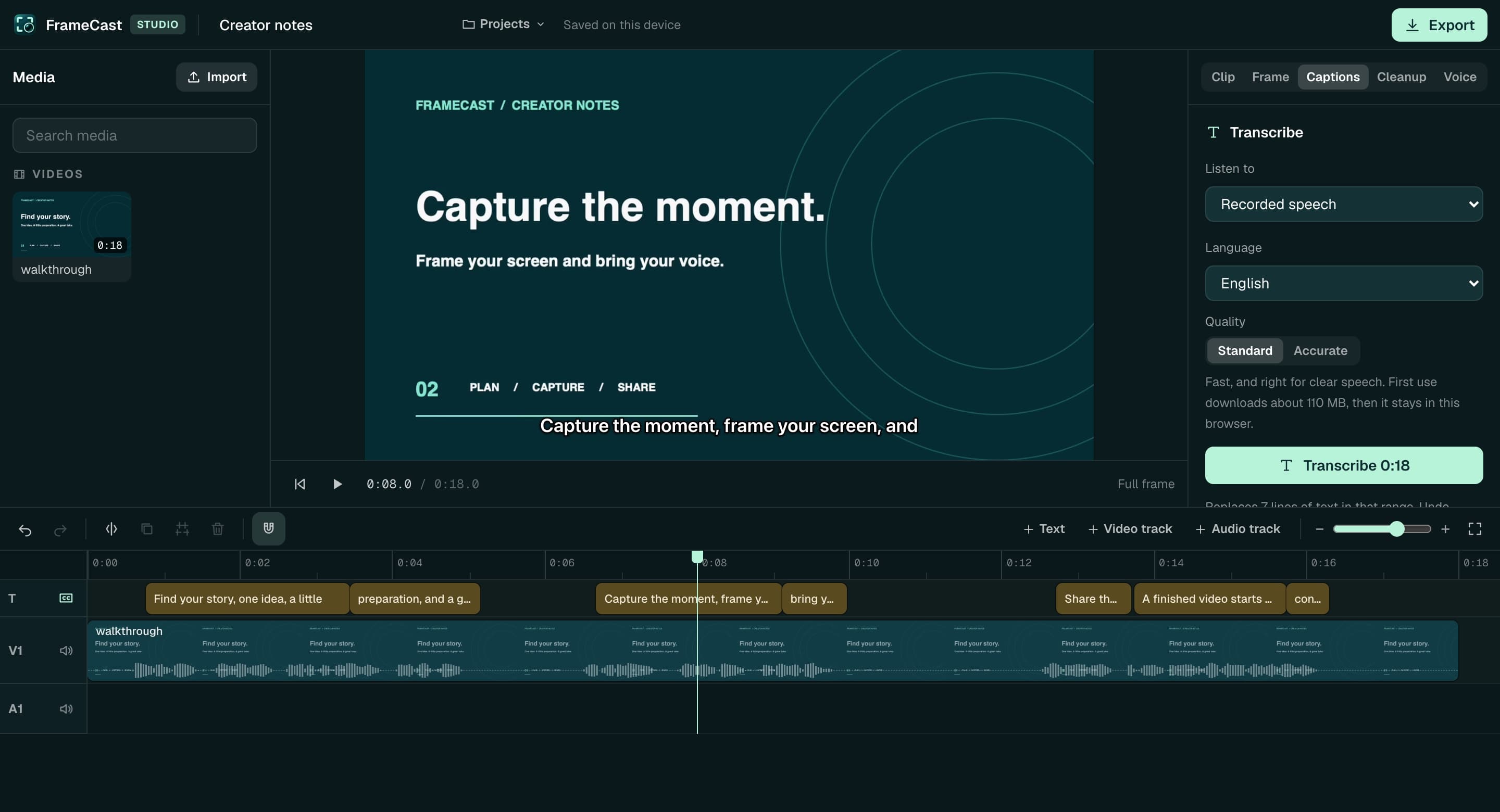
Record on your Mac and open the take here, or use the browser recorder when you need a link from another computer. The browser recorder follows your sharing plan limits.
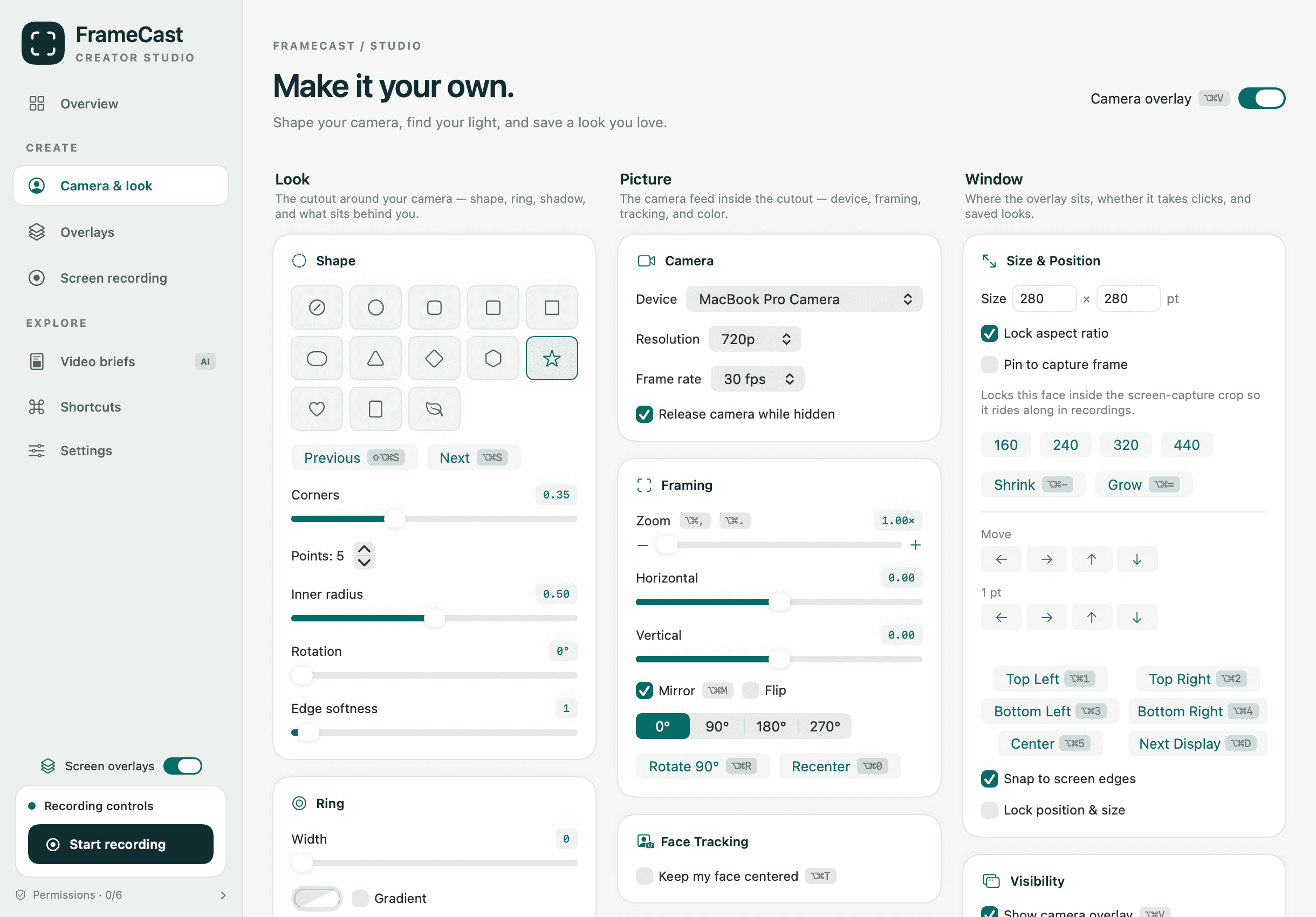
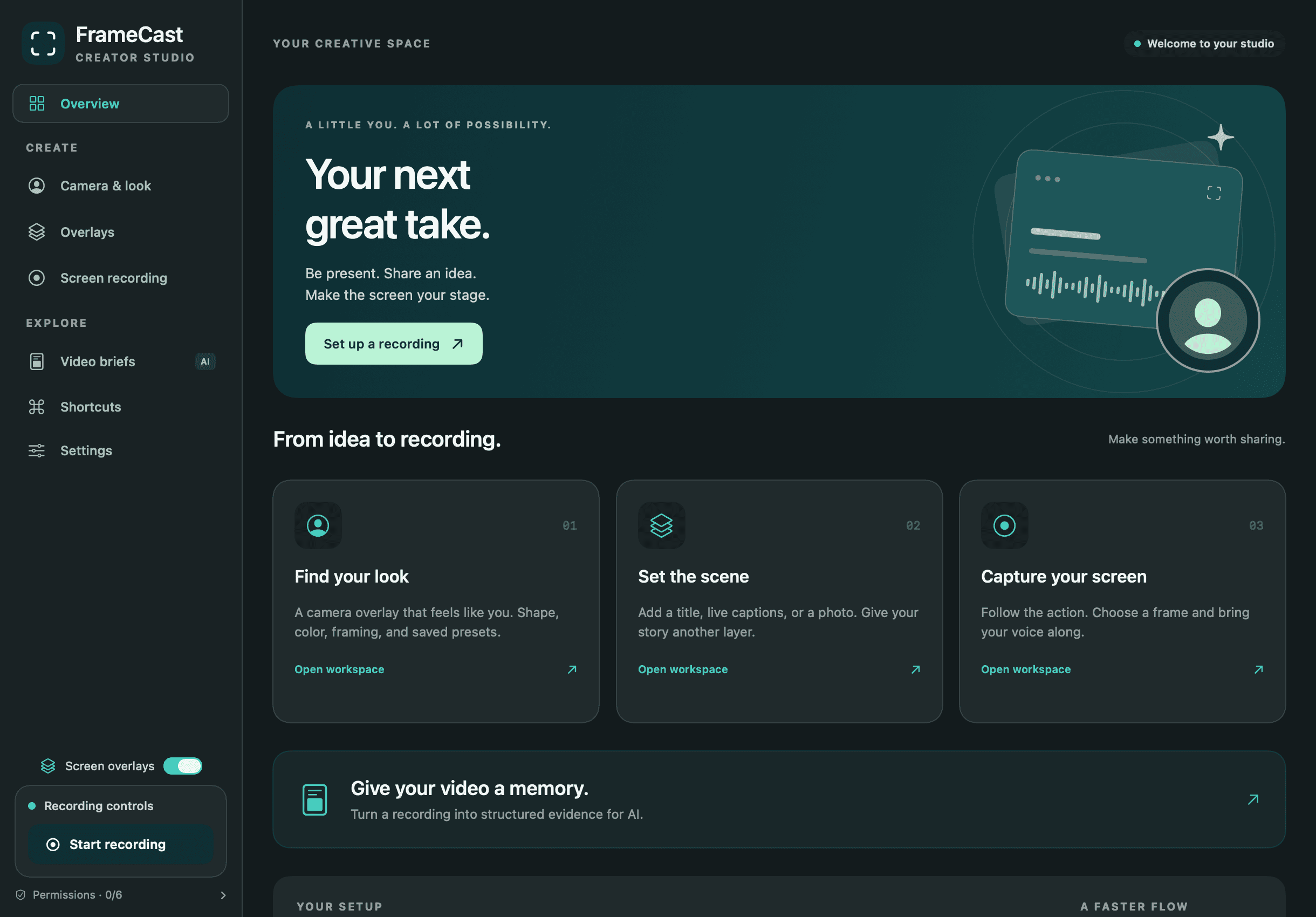
Camera & look
Circle, squircle, star, heart, and the rest. Add a ring, a shadow, and a look you can save.
Keep the room, blur it, drop in a flat color for chroma key, or leave only you.
Pick the camera, frame the shot, and let face tracking follow you. Mirror or freeze when you need a still.
Click through so the overlay ignores the mouse, lock it in place, or snap it to a corner of the screen.
Screen recording
Record the whole display at full resolution, or drag a frame around the one window that matters. There is no shape or quality to choose first. System audio is separate from your voice, so turn the microphone on when you want to be in the take. When you stop, the editor opens and you choose the shape, the resolution, and whether the crop follows your mouse.
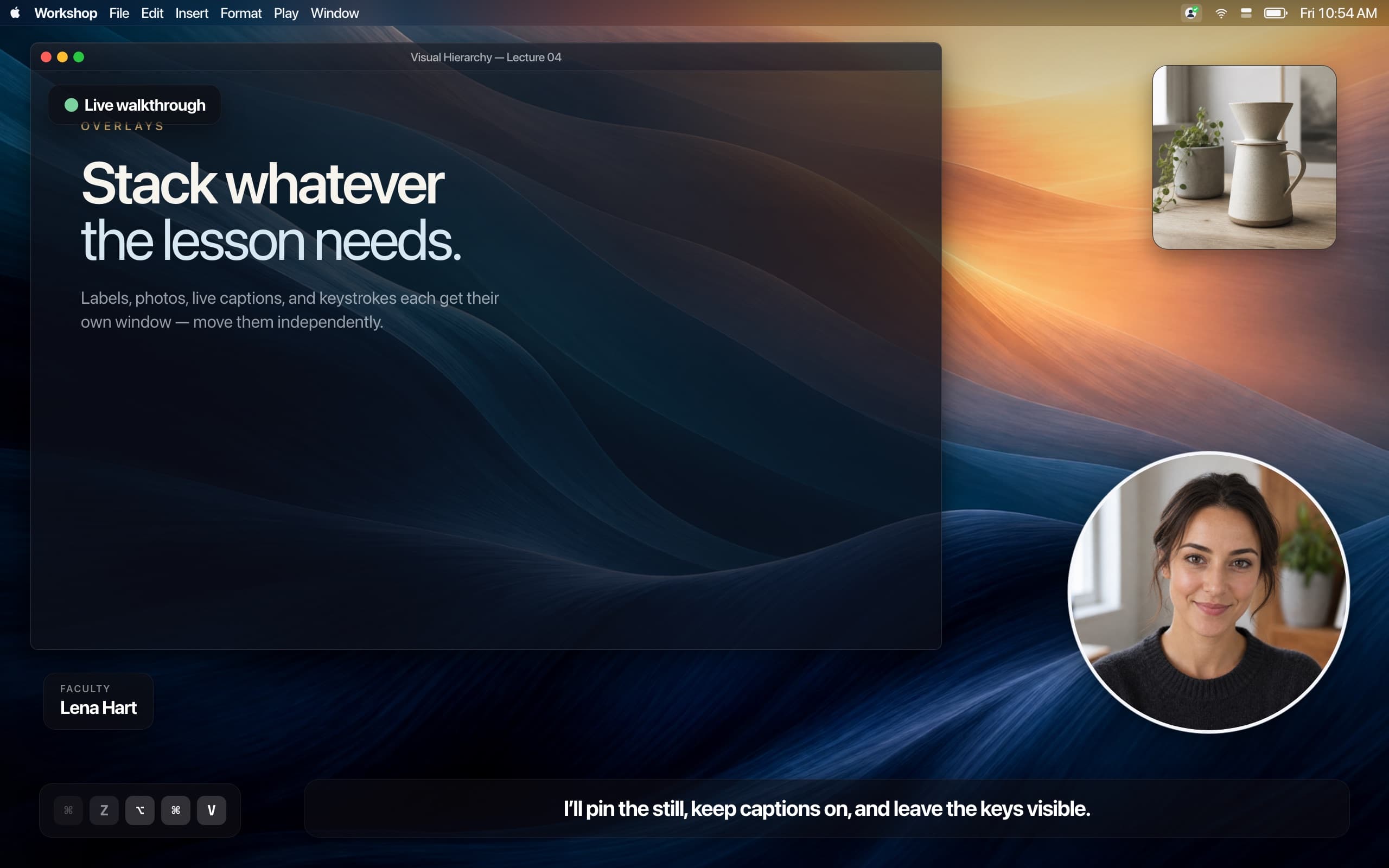
Overlays
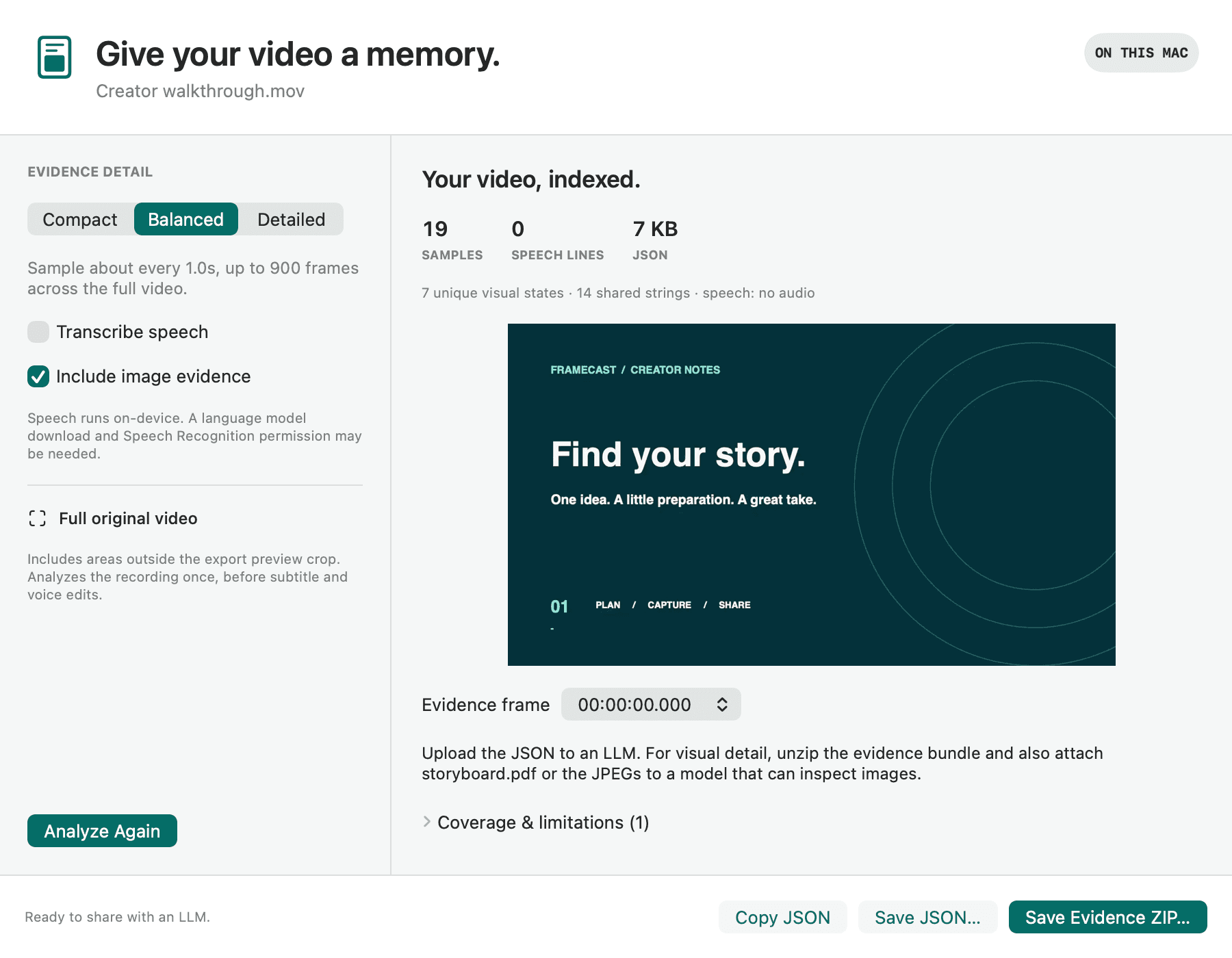
Video briefs
Turn a recording into structured evidence for an AI: speech, on-screen text, visual notes, and selected images, with timestamps. It is processed on your Mac. You get self-describing JSON, or a compressed bundle with a storyboard. Briefs are sampled — short actions can be missed, and those limits travel with the file.
Pricing
Local recording and editing are free. Keep 25 live shared links, up to 30 minutes each at 1080p. Pro is $5.00/month ($60.00 billed annually); Team is $18.33/month for the whole team with 1 TB, billed annually.
Free
$0
Forever, for everyone.
Pro
$5.00/month
$60.00 billed yearly.
Team
$18.33/month
$220.00 billed yearly. One price for the team. Start another when the work should be separate.
Need more room? Add storage to Pro or Team for $20.00 a month per terabyte. Files are never removed to make space; at the limit, new uploads pause until you add storage or delete something.
AI voice-over is separate and works on any plan: voice plans from $12.00/month, or one-time top-ups of $10.00, $25.00, $50.00.
On Mac, open the disk image, drag FrameCast to Applications, and open it. It lives in your menu bar, in light or dark. On iPhone, get it from the App Store and sign in with the same account.
Local recording is free without an account. Sign in for sharing. macOS 14 or later. iOS 26.1 or later. Also on the App Store, or edit in your browser.
With your permission, Meta and Trybe receive visits to our marketing pages and browser identifiers. Meta receives confirmed Pro or Team purchase amounts; Trybe receives paid checkout amounts to credit creators for sales. Recording and editing work either way. You can change your choice anytime. Privacy details
Global Privacy Control is honored automatically.