 FrameCast
Home / Free / A free Mac screen recorder with editing and instant links
Record · edit · share
A free Mac screen recorder with editing and instant links
FrameCast combines screen recording, a timeline editor, and instant shareable links. Capture a walkthrough or video message, trim the take, and send a link your viewer can open in a browser.
Local recording and editing are unlimited and free, with no account required. Export a watermark-free file up to 4K, or sign in for 25 live share links, up to 30 minutes each, at 1080p. Free watch pages show a FrameCast badge.
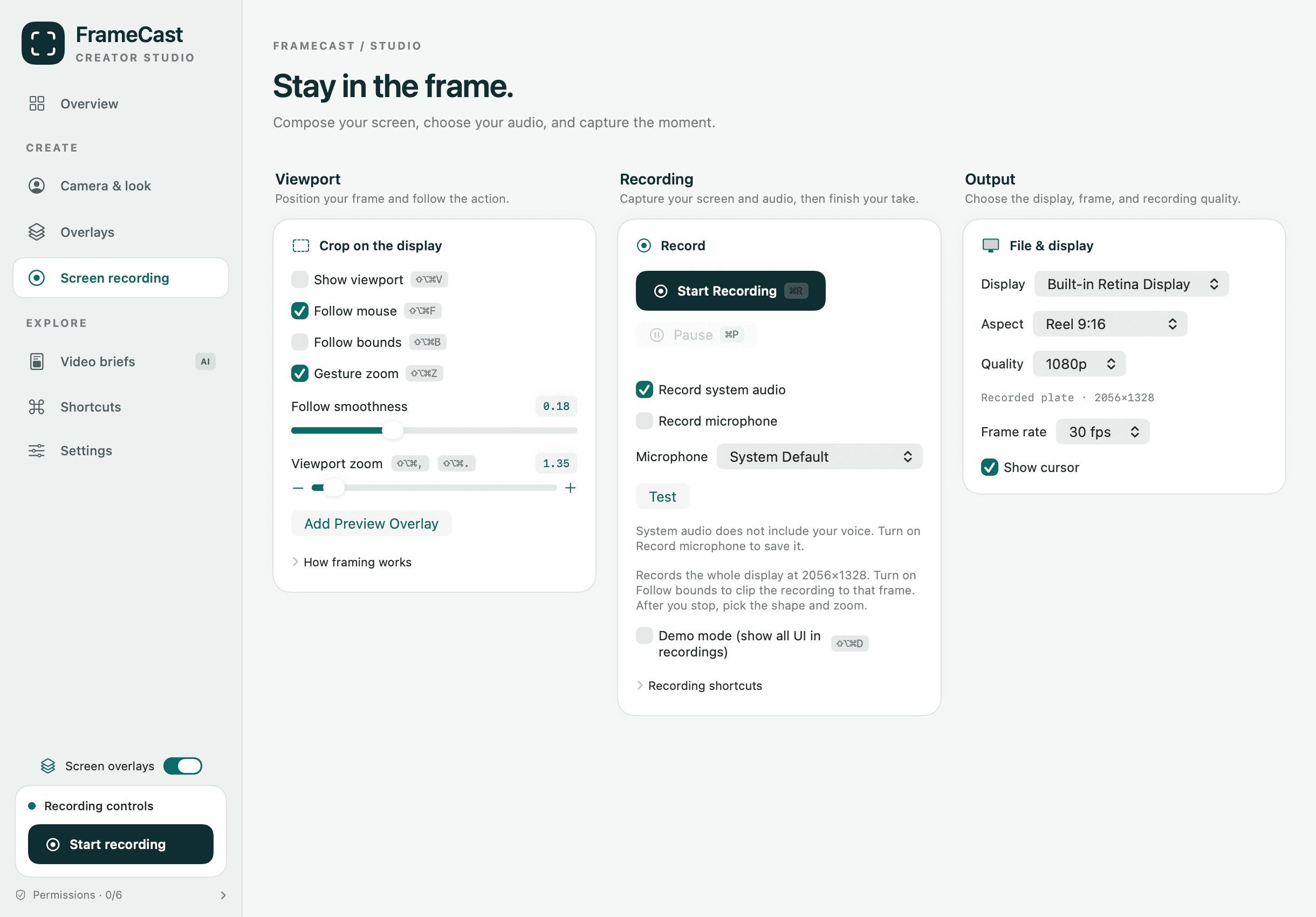
Record your screen and voice
Record a full display or a selected region with system audio and an optional microphone. Add a camera overlay when your viewer needs to see you. Local recordings have no app-imposed count or time cap; available disk space still matters.
Edit the recording for free
Trim and split clips, adjust speed, and reframe one take for widescreen, square, or vertical video. Follow the mouse, zoom on clicks, and finish the audio before exporting.
Live captions, transcripts, and Apple Intelligence script tools need macOS 26 or later. AI voice-over is optional and uses separate paid credits.
- Free timeline editing
- Watermark-free local exports up to 4K, depending on source resolution
- MP4, HEVC, ProRes, and GIF export
- Record once. Post it anywhere.
Share an instant video link
Sign in and enable sharing before recording. Uploads run while you record, and the link is copied when you stop. Playback is ready after the final upload completes. You can also edit first and share the finished cut.
Free includes 25 live share links, up to 30 minutes each, at 1080p. These limits apply to shared videos, not local recording or editing. Pro is $5.00/month, $60.00 billed yearly. Pro shares up to 4 hours in 4K.
Questions
- Is FrameCast a free Mac screen recorder?
- Yes. Local recording and timeline editing are free without an account, with watermark-free local exports up to 4K. Sharing requires sign-in and has separate free limits.
- Does the free recorder stop after 30 minutes?
- No. Local recording has no app-imposed time cap. The 30-minute limit applies to free shared videos: 25 live share links, up to 30 minutes each, at 1080p.
- Can I edit a screen recording before sharing it?
- Yes. Open it in the timeline editor, trim and reframe it, then export locally or choose Share link for the finished video.
- Which Mac version do I need?
- macOS 14 or later. Live captions, transcripts, and Apple Intelligence script tools need macOS 26 or later.
More free tools
Comparisons
Guides
Record and edit free. Upgrade when you need more links.
FrameCast recording, captions, cleanup, and export stay free. Pro is $5.00/month billed yearly for unlimited share links and viewer insights.