 FrameCast
Guide
Export SRT and WebVTT captions
An SRT or WebVTT file is the caption track by itself, so YouTube, a podcast host, or another editor can load the words. The FrameCast web editor downloads SRT, WebVTT, or plain text from the captions panel.
The Mac app does not offer a separate SRT download. It burns captions into the picture, and a share link can include a WebVTT sidecar when the words are not burned in.
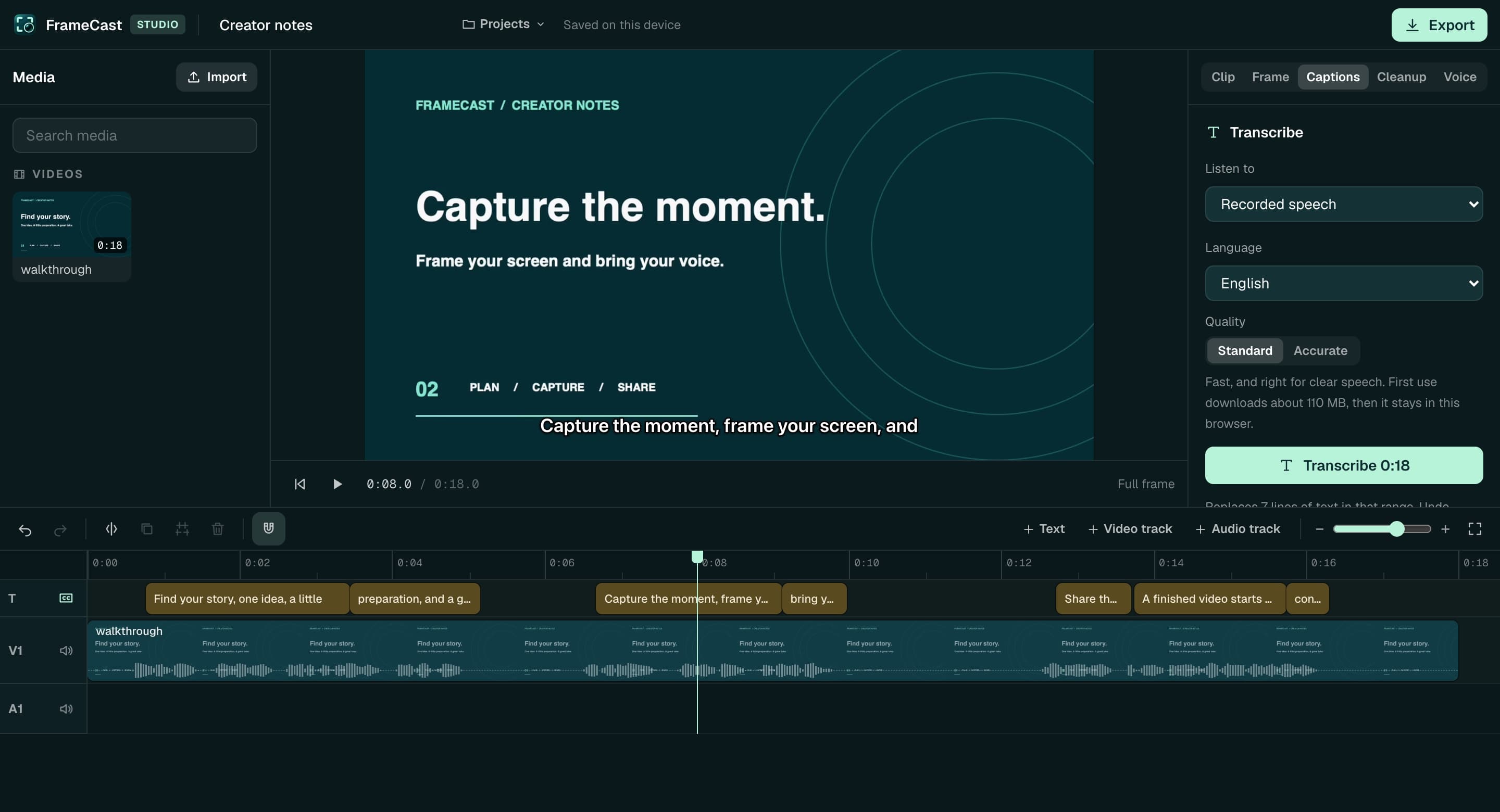
Download a file from the web editor
Open the video in Studio. Transcribe, wait for the lines, then use Download → SRT, WebVTT, or Text. The buttons sit above the transcript.
Downloading the file does not spend voice credits. Turning on Show on video and exporting MP4 burns the words into the picture instead, which is also free.
- Chrome, Edge, or Safari
- On-device speech model, in about 30-second sections
- You can correct a line before you download
- The web editor exports MP4, not GIF or ProRes
What the Mac and iPhone apps do instead
Turn on Subtitles → Burn into the video, then Export video. The words are in the movie. That is the path when the destination does not accept a sidecar.
If you share a Mac take without burning captions in, the upload can include captions.vtt. The iPhone share upload can include the same WebVTT when the take has transcript segments.
Post the file, or post a link
Upload the SRT next to the video on the site you already use. Or share a FrameCast link, which can show a transcript and chapters. Free includes 25 live share links, up to 30 minutes each, at 1080p.
When you pass 25 live links, or you need longer than 30 minutes, 4K, or viewer insights, Pro is $5.00/month, $60.00 billed yearly. The caption file is not gated behind that plan.
Questions
- Where do I download an SRT file?
- In the web editor’s captions panel, after the video is transcribed. The Mac and iPhone apps do not have a separate SRT download.
- Does exporting captions cost voice credits?
- No. Saving SRT or WebVTT, and burning captions into the video, are free. Generate is the voice-over control that spends credits.
- Will YouTube accept the file?
- The download is a standard SRT or WebVTT from the transcript lines. FrameCast does not upload it to YouTube for you.
Takeaways
- • SRT and WebVTT downloads are in the web editor.
- • The Mac app burns captions into the video and can attach WebVTT to a share.
- • Caption downloads do not use voice credits.
Related guides
Feature pages
Related comparisons
All guides · Free features · Comparisons · Support · FrameCast home
Try the Mac studio free
macOS 14 or later. Recording and export stay free. Pro is for unlimited share links and viewer insights.