 FrameCast
Guide
Burn captions into a video for free
Burning captions means the words are drawn into the picture, so they travel with the file. In FrameCast that pass is free on the Mac app, the iPhone editor, and the web editor. It does not spend voice credits.
There is no caption time cap on a local video. A free share link is a different limit: 25 live share links, up to 30 minutes each, at 1080p.
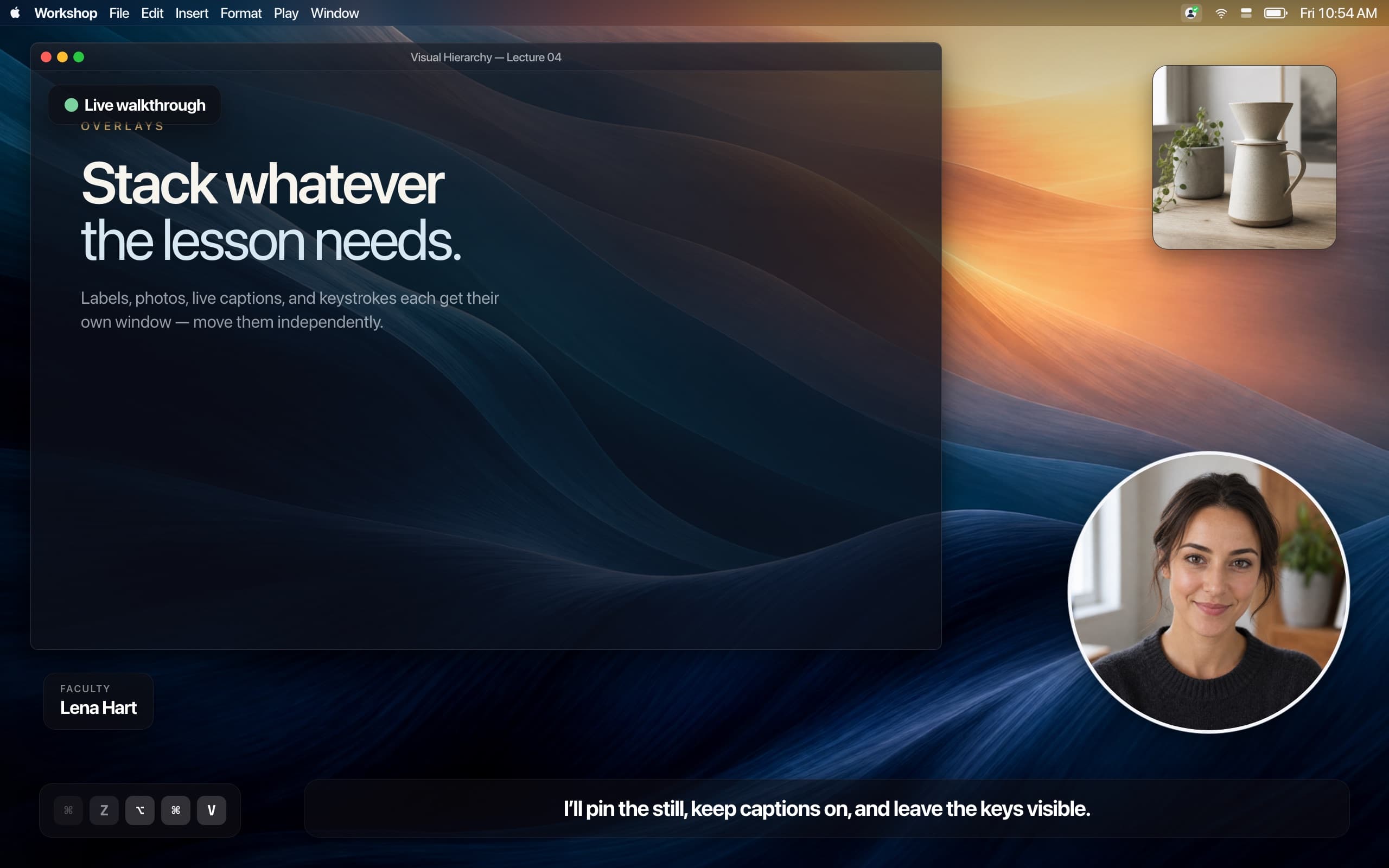
On the Mac or iPhone
Open the take in the editor. In the export sheet, turn on Subtitles → Burn into the video. If the lines are empty, press Transcribe. The preview matches what gets burned in.
Live captions, transcripts, and Apple Intelligence script tools need macOS 26 or later. Live captions while you record also need the microphone. System audio alone is not speech the recognizer can hear.
- Pick a caption style. Karaoke colors the word being spoken. Word by word shows a few words at a time.
- Place, align, size, lift, and margin change where the line sits.
- Export video writes MP4, HEVC, or ProRes with the words in the picture. GIF export draws the same captions into the frames and drops the audio.
- One undo restores a cleanup if you cut ums after the lines exist. Caption timing moves with those cuts.
In the web editor
Open Studio in Chrome, Edge, or Safari. In the captions panel, transcribe on this device, then turn on Show on video. Export writes an MP4 with the captions in the picture.
The speech model runs in the browser, in about 30-second sections. The first run downloads the model. Footage is not uploaded just to transcribe or export.
What stays a file, and what becomes a link
Save the movie wherever you already post it. When someone should watch it without a file, share a link. Free includes 25 live share links, up to 30 minutes each, at 1080p, and the watch page can show a Made with FrameCast badge.
Pro is $5.00/month, $60.00 billed yearly: unlimited links, up to 4 hours, 4K, and viewer insights. Captions are not the thing you are paying for.
Questions
- Does burning captions into a video cost anything?
- No. Transcription and a burned-in export are free on Mac, iPhone, and the web editor. Generating a voice-over is the step that spends credits.
- Is there a maximum video length for captions?
- Not for a local export. A free share link can be up to 30 minutes at 1080p. Pro shares up to 4 hours in 4K.
- Can I edit a wrong word before I export?
- Yes. Correct the line in the transcript. On the Mac, lines you fix keep following later cleanup and text cuts.
Takeaways
- • Burn into the video is a toggle in the Mac and iPhone export sheet, and Show on video in the web editor.
- • The caption pass is free and does not use voice credits.
- • A free share link is still 30 minutes at 1080p.
Related guides
Feature pages
Related comparisons
All guides · Free features · Comparisons · Support · FrameCast home
Try the Mac studio free
macOS 14 or later. Recording and export stay free. Pro is for unlimited share links and viewer insights.