 FrameCast
Guide
YouTube chapters from a screen recording
FrameCast finds topic changes in the transcript: a shift in vocabulary, a long pause, or a phrase such as “next” or “moving on.” Titles come from each section’s distinctive words. You can rename them, and you can copy a YouTube chapter list.
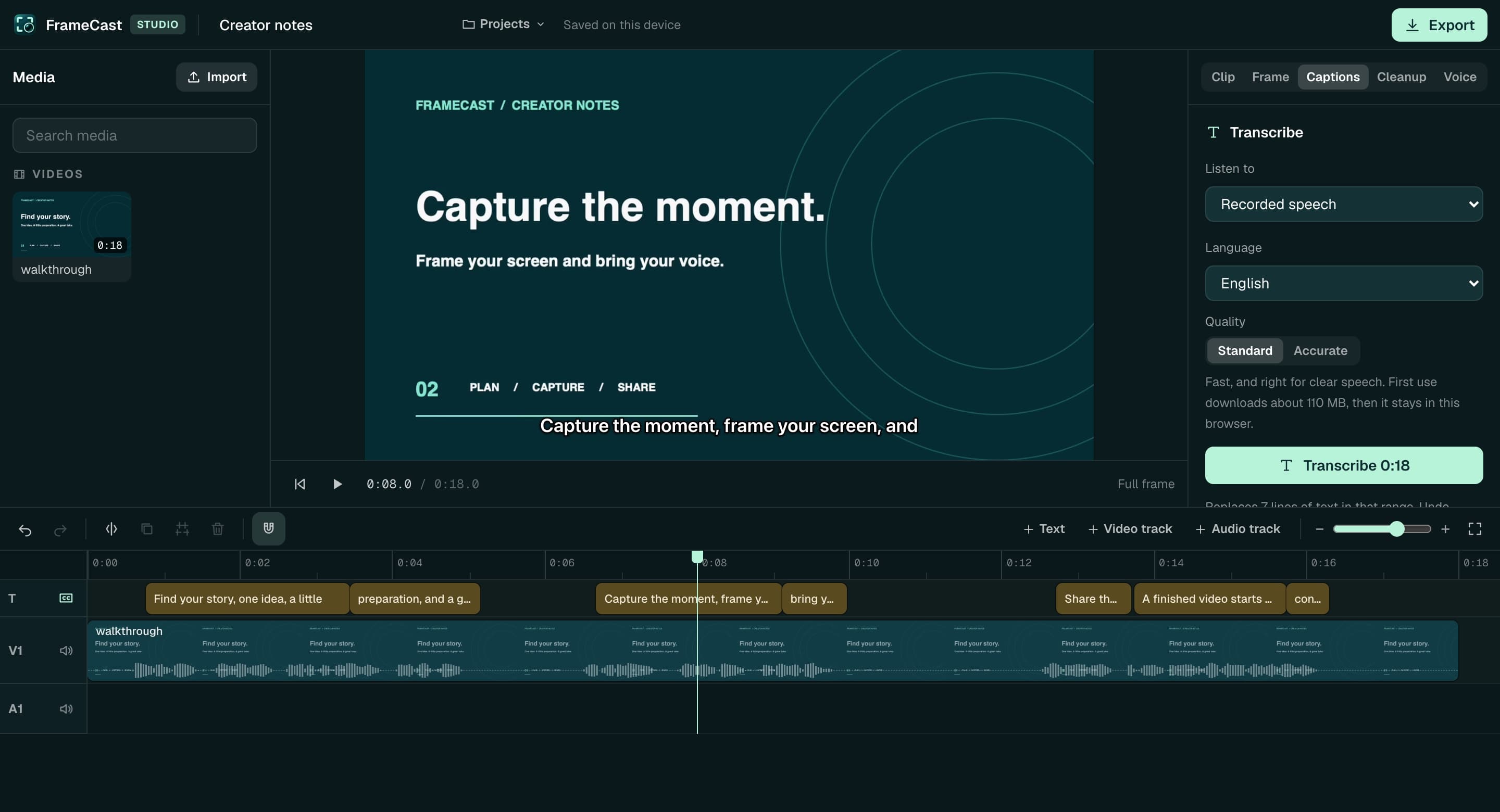
Chapters are free on the Mac app, the iPhone editor, and in the web editor. They do not spend voice credits. The screenshot on this page is the web editor, where chapters sit with the transcript, not a picture of the YouTube paste button.
Make the list
Transcribe the take, then generate chapters. They show up as flags on the timeline. Rename a title, remove one, or add one at the playhead. Cuts move the flags with the picture.
Copy YouTube chapters copies lines that look like 0:00 Title. The app warns you when the list would miss YouTube’s rules: start at 0:00, at least three chapters, and at least 10 seconds each.
Keep the recording watchable first
Smart cleanup can cut filler and long pauses before you trust the chapter titles. One undo puts the timeline back. Caption timing moves with those cuts.
Loudness leveling is separate. You can leave the audio as recorded, or target YouTube, podcast, or broadcast loudness when you export. That pass is also free.
Paste the chapters, or share the video
Paste the list into a YouTube description yourself. FrameCast does not upload the video to YouTube. A FrameCast share link can include the chapters so a viewer can skip around.
Free includes 25 live share links, up to 30 minutes each, at 1080p. A course or a release series is the moment Pro is the simpler path: $5.00/month, $60.00 billed yearly, with unlimited links and viewer insights.
Questions
- Does FrameCast upload my video to YouTube?
- No. Copy YouTube chapters puts the timestamp list on your clipboard. You paste it into YouTube.
- Are chapters free?
- Yes. Finding chapters and copying the list do not require Pro and do not use voice credits.
- What if YouTube rejects the list?
- The copy warns you when the list does not start at 0:00, has fewer than three chapters, or has a chapter shorter than 10 seconds. Fix the flags, then copy again.
Takeaways
- • Chapters come from the transcript and can be copied as a YouTube list.
- • YouTube’s own rules still apply: 0:00, at least three chapters, 10 seconds each.
- • Chapters are free. A share link past the free allowance is the paid step.
Related guides
Feature pages
Related comparisons
All guides · Free features · Comparisons · Support · FrameCast home
Try the Mac studio free
macOS 14 or later. Recording and export stay free. Pro is for unlimited share links and viewer insights.