 FrameCast
Home / Free / Smart cleanup and chapters
Free edit
Smart cleanup and chapters
Smart cleanup cuts filler, repeated words, restarts, and long pauses in one step. One undo puts the timeline back. Chapters are marked where the topic changes, with titles you can paste into YouTube.
On the Mac this stays on device, including the transcript it depends on. The web editor does the same class of edit locally. Neither one charges credits for the cleanup.
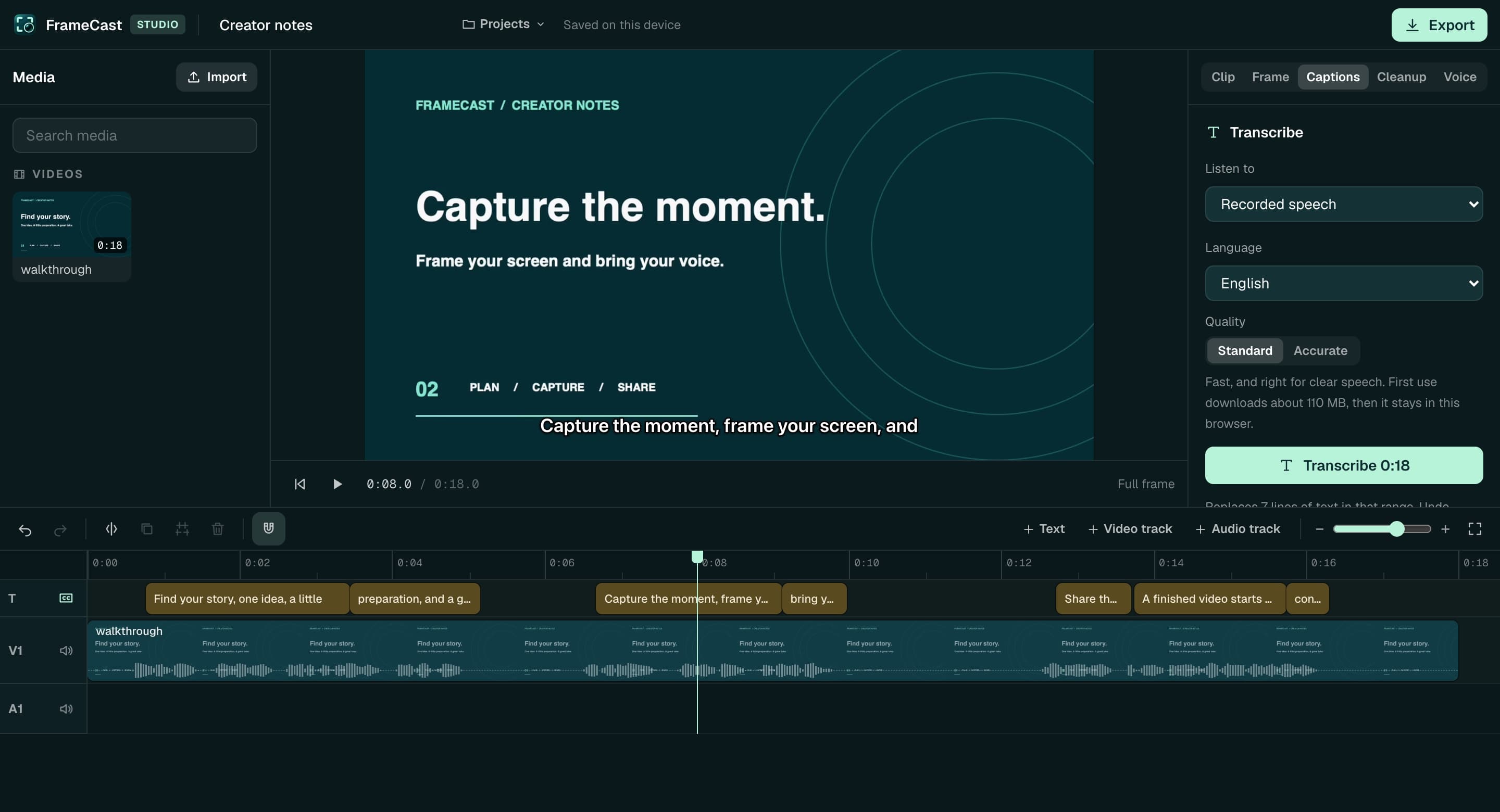
What cleanup changes
Cuts land on the video, detached audio, music, and the text track, so captions stay lined up with the picture. You can still edit a line by hand. Lines you type move with later cleanup and text cuts.
- Filler and hesitation sounds
- Repeated words and restarts
- Long pauses, tightened rather than deleted blindly
- Chapters with titles, plus a YouTube chapter list
- Loudness leveling toward YouTube, podcast, or broadcast targets
Briefs are the other free handoff
A video brief is structured evidence from the recording: speech, on-screen text, and selected frames, with timestamps. It is built on your Mac. You export JSON or a ZIP. FrameCast does not upload the brief. Short actions can be missed, and that limit is part of the file.
Where money enters
Cleanup, chapters, captions, and briefs are free. A generated narrator is not. Voice plans start as an optional add-on, and they are not required to publish. Sharing past the free allowance is the other paid step: 25 live share links, up to 30 minutes each, at 1080p. Pro is $5.00/month, $60.00 billed yearly.
Free accounts also get 5 server AI runs a month for summaries, documents, and translated captions on a share. More runs spend voice credits. Pro includes 50 a month.
Questions
- Does removing filler words cost anything?
- No. Smart cleanup is free on the Mac app and in the web editor. It does not use voice credits.
- Can I undo a cleanup?
- Yes. One undo restores the timeline.
- Are chapters uploaded?
- Chapters on a local project stay with the project. A share link can include chapters and a transcript so viewers can skip around. Publishing that link is optional.
- What should I pay for first?
- If people need a link, start with Pro for unlimited links and viewer insights. If you need a synthetic narrator, buy voice credits. You do not need either one to clean up a recording and export it.
More free tools
Comparisons
Guides
Use it free. Pay when a link should last.
FrameCast recording, captions, cleanup, and export stay free. Pro is $5.00/month billed yearly for unlimited share links and viewer insights.